Registering for an event is often just the beginning. As the event gets closer, you might discover that the organizer is offering additional experiences, merchandise, workshops, meals, or other useful extras that you would like to purchase.
But what if you have already completed your registration?
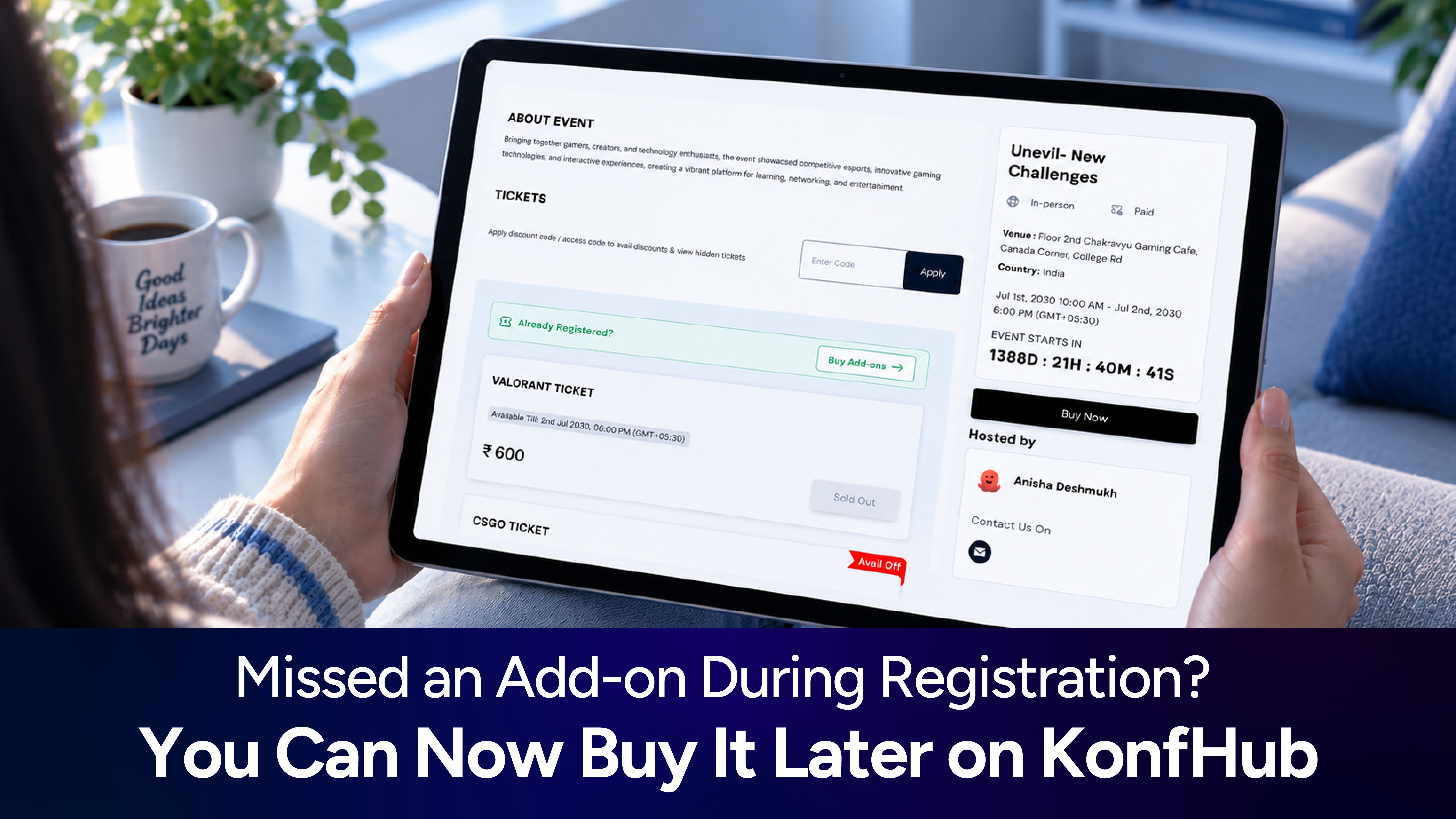
With KonfHub’s new Buy Add-ons feature, you no longer have to worry about missing out on these extras just because you registered earlier. If you have already booked your ticket and later decide to purchase an add-on, you can do so directly from the event’s registration page.
In this blog we’ll take you step-by-step through how it works. Before that let’s quickly see what add-ons are and why this feature is useful/needed.
What Are Add-ons on KonfHub?
Add-ons are additional products, services, or experiences that an event organizer can offer alongside event tickets.
They give attendees the option to customize their event experience by purchasing something extra that may not be included in their original ticket.
For a better understanding of how add-ons work on KonfHub, including how organizers can create and manage them, read here: https://blog.konfhub.com/introduce-flexible-ticket-add-ons-for-your-events.
The blog explains the Add-ons feature in more detail and helps you understand how organizers can use it to offer additional options to attendees.
What Is the Buy Add-ons Feature?
The Buy Add-ons feature allows attendees who have already registered for an event to purchase additional offerings made available by the organizer.
Previously, if you wanted something extra after completing your registration, you might have had to contact the organizer or look for another way to make the purchase. Now, you can simply return to the event registration page, access your existing booking, and explore the available add-ons.
Whether you missed an add-on during your initial registration or simply changed your mind later, the process is straightforward.
How to Buy Add-ons After Registering for an Event
If you have already registered for an event on KonfHub and want to purchase an add-on, follow these steps.
1. Open the Event Registration Page
Go to the registration page of the event you have already registered for.
You do not need to register again or create a new booking. Simply open the same event registration page where you initially booked your ticket.
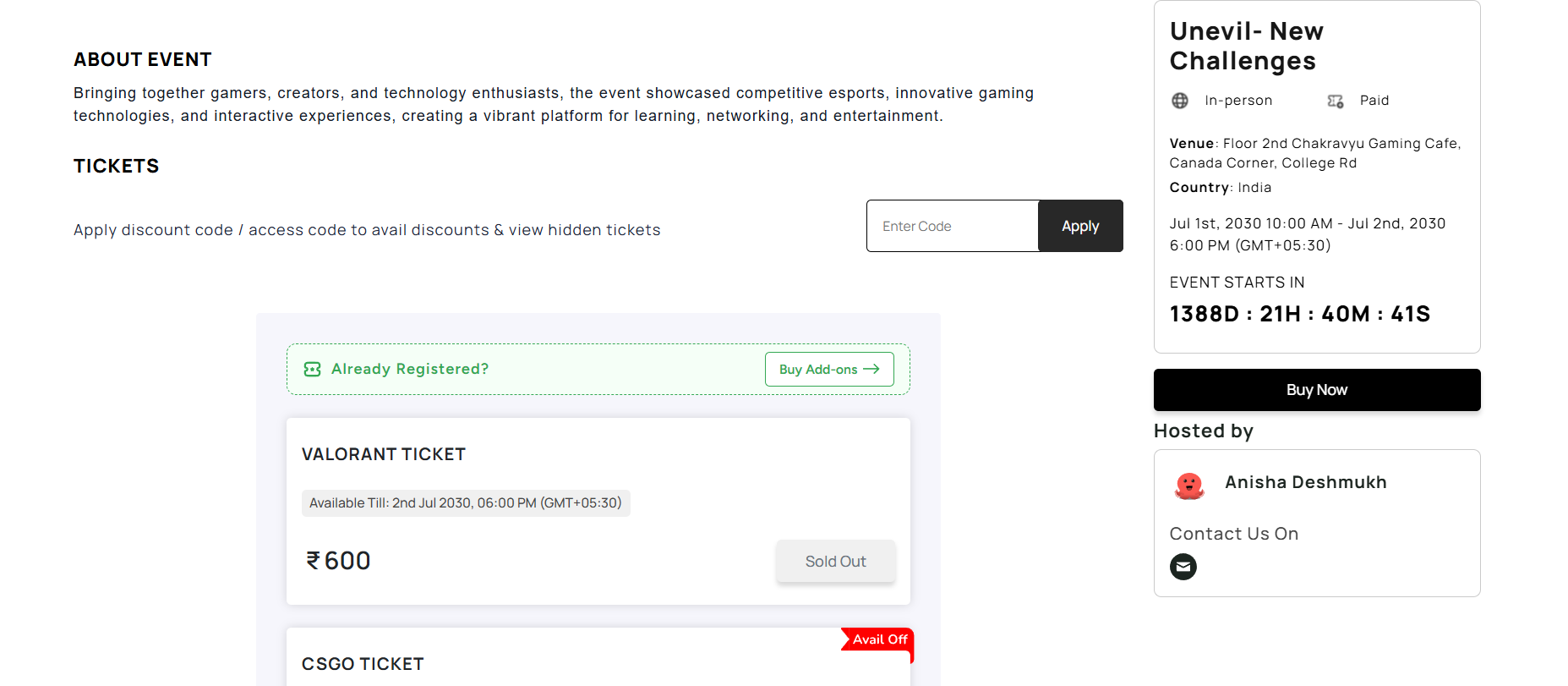
2. Click on “Buy Add-ons”
Once you are on the registration page, look at the top of the tickets section.
You will find the Buy Add-ons option above the available tickets. Click on it to proceed.
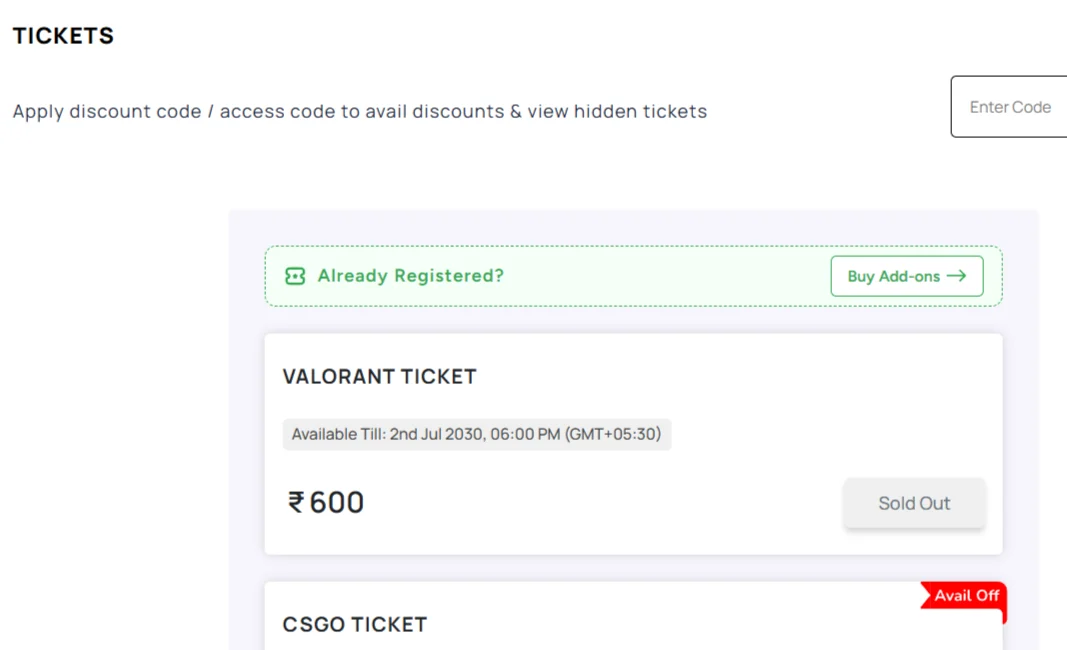
This option is designed to help existing attendees access additional offerings without having to go through the entire registration process again.
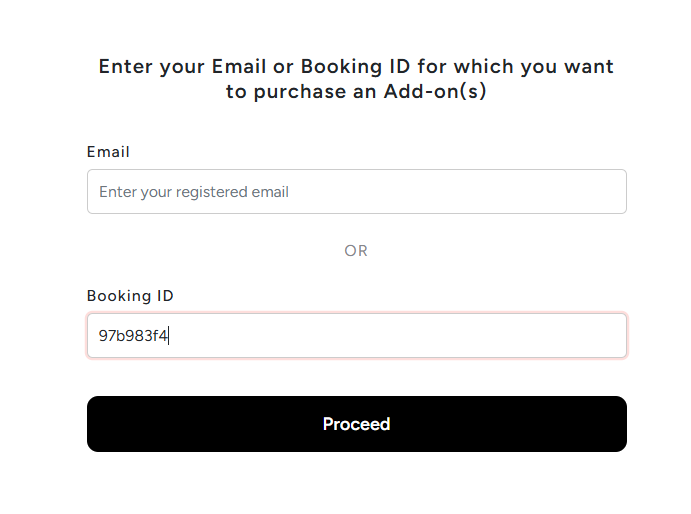
3. Enter Your Booking ID or Registered Email Address
You will now be asked to provide details to find your existing registration.
You can use either of the following:
Booking ID: Enter the booking ID you received in your registration confirmation email.
Registered email address: Enter the email address you used when registering for the event.
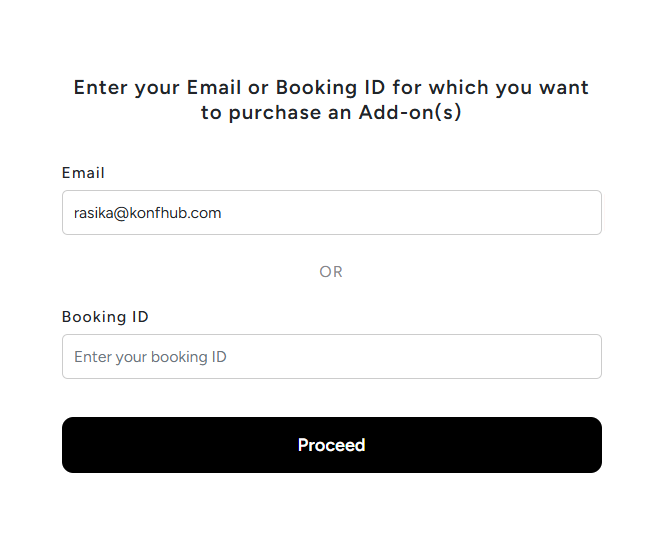
You only need to provide one of these details to retrieve your booking.
If you are unsure where to find your booking ID, check your registration confirmation email. It contains the details of your event booking.
4. View Your Ticket Details
Once your booking is identified, your ticket details will appear on the screen.
This helps you access the registration you have already completed and continue with the add-on purchase without starting over.
Along with your ticket details, you will also see the add-ons made available by the organizer.
5. Select the Add-ons You Want to Purchase
Browse through the available add-ons and choose the ones you are interested in purchasing.
You can select the additional offerings that suit your preferences and proceed with the purchase.
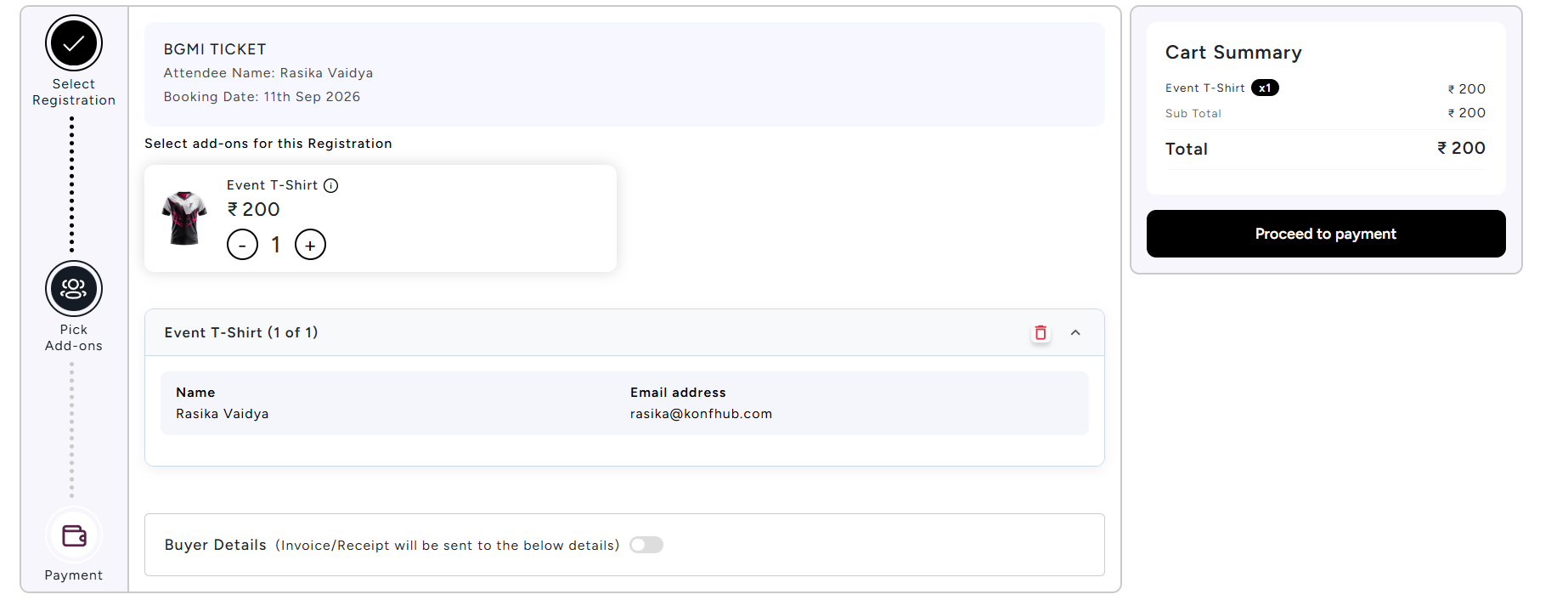
For example, if an organizer has introduced a new merchandise option or an additional event experience after registrations opened, you can return to the registration page and purchase it using this feature.
The add-ons available to you will depend on what the event organizer has configured for the event.
6. Complete Your Purchase and Receive the Email Confirmation
After selecting your add-ons, complete the purchase through the available payment process.
Once the purchase is completed, you will receive an email confirmation for your add-on purchase.
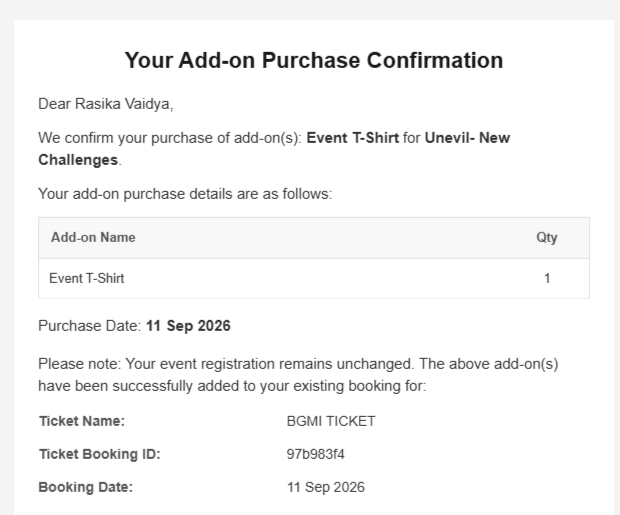
This gives you a record of the additional items or experiences you have purchased for the event.
Why This Feature Is Useful for Attendees
No need to register again
You have already booked your event ticket, so there is no need to repeat the registration process just to purchase an add-on. You can access your existing booking and continue from there.
More flexibility after registration
Sometimes, you may not be ready to purchase an add-on when you first register. You might want to decide later, or an organizer might introduce additional offerings after registrations have already begun.
The Buy Add-ons feature gives you the flexibility to make that decision at a later stage.
Easy access to your booking
You can retrieve your ticket details using your booking ID or registered email address. This makes it easier to find your registration and view the add-ons associated with the event.
A simple purchase experience
Instead of managing a separate process for additional purchases, you can access the add-ons directly through the event registration page and receive an email confirmation once the purchase is complete.
A Few Things to Keep in Mind
Before purchasing an add-on, make sure you are accessing the correct event registration page and using the booking ID or email address associated with your registration.
It is also a good idea to keep the purchase confirmation email for your records.
The availability of add-ons, their pricing, and the purchase options depend on the event organizer. If you do not see the Buy Add-ons option or the add-on you are looking for, the organizer may not have enabled it for that event.
Note: For organizers using the KonfHub platform - this feature is not enabled by default for all the events. If you want to enable your participants to purchase add-ons after the ticket purchase is done, contact us and we’ll enable this feature for you (at no additional cost, of course!).
Final Thoughts
Plans can change, and your interests can change too. You may decide after registering for an event that you want to purchase an additional experience, merchandise, or another offering from the organizer.
With KonfHub’s new Buy Add-ons feature, you can return to the event registration page, retrieve your booking using your booking ID or registered email address, and purchase the add-ons you want.
Already registered? You can still explore what else the event has to offer. Simply look for the Buy Add-ons option above the tickets and continue from there.
Frequently Asked Questions
Can I buy add-ons after registering for an event on KonfHub?
Yes. If you have already registered for an event, you can return to the event registration page and purchase available add-ons using the Buy Add-ons option.
How do I access my registered ticket to buy add-ons?
Click on Buy Add-ons above the tickets on the event registration page. You can then enter either your booking ID from the registration confirmation email or your registered email address to view your ticket details.
**Do I need to register again to purchase an add-on?
**
No. You can access your existing registration and purchase available add-ons without registering for the event again.Will I receive a confirmation after purchasing an add-on?
Yes. Once your add-on purchase is completed, you will receive an email confirmation with the purchase details.
What add-ons can I purchase after registration?
You can purchase the additional products, services, or experiences as add-ons.
About the author
KonfHub is an AI-powered, GDPR-compliant platform for seamless ticketing, secure attendee management, and smooth event operations. Say goodbye to complexity and hello to seamless, powerful event management!
Comments
Join the discussionNo comments yet. Be the first to comment.