Event registrations are rarely one-size-fits-all. While some attendees only need access to the main event, others may want additional experiences, merchandise, workshops, meals, or exclusive perks.
To help organizers create more personalized registration experiences and unlock additional revenue opportunities, KonfHub now supports Ticket Add-Ons.
With Ticket Add-Ons, you can offer optional purchases alongside your main event tickets, allowing attendees to customize their registrations based on their interests and needs.
What Are Ticket Add-Ons?
Ticket Add-Ons are optional tickets or items that attendees can purchase in addition to their primary event ticket.
These add-ons can be linked to specific ticket categories, ensuring that only relevant attendees see and purchase them.
The reason why they are called “Add-ons” is because they cannot be purchased independently - and can be purchased only after purchasing the associated ticket.
Examples of Ticket Add-Ons
Ticket add-ons can significantly enhance the attendee experience while also creating additional revenue opportunities for event organizers. Add-ons can be either free or paid, depending on the event's goals and audience preferences.
For marathons and sports events, popular add-ons include event T-shirts, finisher medals, timing chips, training sessions, and post-race meal vouchers. These additions help participants personalize their experience and often increase engagement before, during, and after the event.
For tech conferences, organizers frequently offer conference merchandise, goodie bags, workshop passes, networking dinner access, and certification exams as add-ons. These options provide attendees with opportunities for deeper learning, networking, and memorable takeaways from the event.
For workshops and training programs, common add-ons include printed study materials, access to recorded sessions, one-on-one mentoring sessions, and premium certificates. Such add-ons enable participants to extend their learning journey and gain additional value beyond the live event experience.
For music and entertainment events, organizers often provide VIP lounge access, meet-and-greet passes, merchandise packs, and food and beverage vouchers. These add-ons create exclusive experiences and allow fans to enjoy a more personalized and memorable event.
Whether free or paid, ticket add-ons offer attendees greater flexibility and choice while helping organizers deliver richer event experiences tailored to different audience needs and budgets.
Why Use Ticket Add-Ons?
- Increase Event Revenue
Offer valuable extras without creating multiple ticket categories. Attendees can choose exactly what they want, creating additional revenue streams for your event.
- Simplify Ticket Management
Instead of creating separate event tickets for every possible combination, organizers can maintain a clean ticket structure and attach relevant add-ons where needed.
- Improve Attendee Experience
Attendees can personalize their registration journey by selecting additional products, services, or experiences that matter to them.
- Better Planning and Inventory Management
Since add-ons are purchased during registration, organizers gain accurate data on merchandise quantities, meal counts, workshop participation, and other logistics.
How to Create Ticket Add-Ons
Creating an add-on ticket is similar to creating a regular event ticket in the admin dashboard.
Step 1: Create the Add-On Ticket
From the Event Dashboard:
Navigate to the Tickets >> Add-ons section
Create a new ticket
Configure ticket details
Unlike the tickets, for add-ons we have the option to add images for the respective ticket. For eg- image of the t-shirt or the medal.
It is mandatory to add GST on the add-ons and the user also has the option to add HSN/SAC code (Product classification code) which helps generate GST-compliant invoices and accurately classify the ticket.
This ticket will act as your add-on offering.

Examples:
Marathon T-Shirt
Workshop Pass
Goodie Kit
Networking Dinner Access
Step 2: Link Add-Ons to Main Tickets
When creating or editing a primary event ticket, you'll find a new section called Ticket Add-Ons.
Here you can:
Select one or multiple add-on tickets.
Decide which add-ons should be available for that specific ticket category.
Create different add-on combinations for different attendee groups.

It is as simple as that - with minimal effort and info you can create add-ons.
How Attendees Purchase Add-Ons
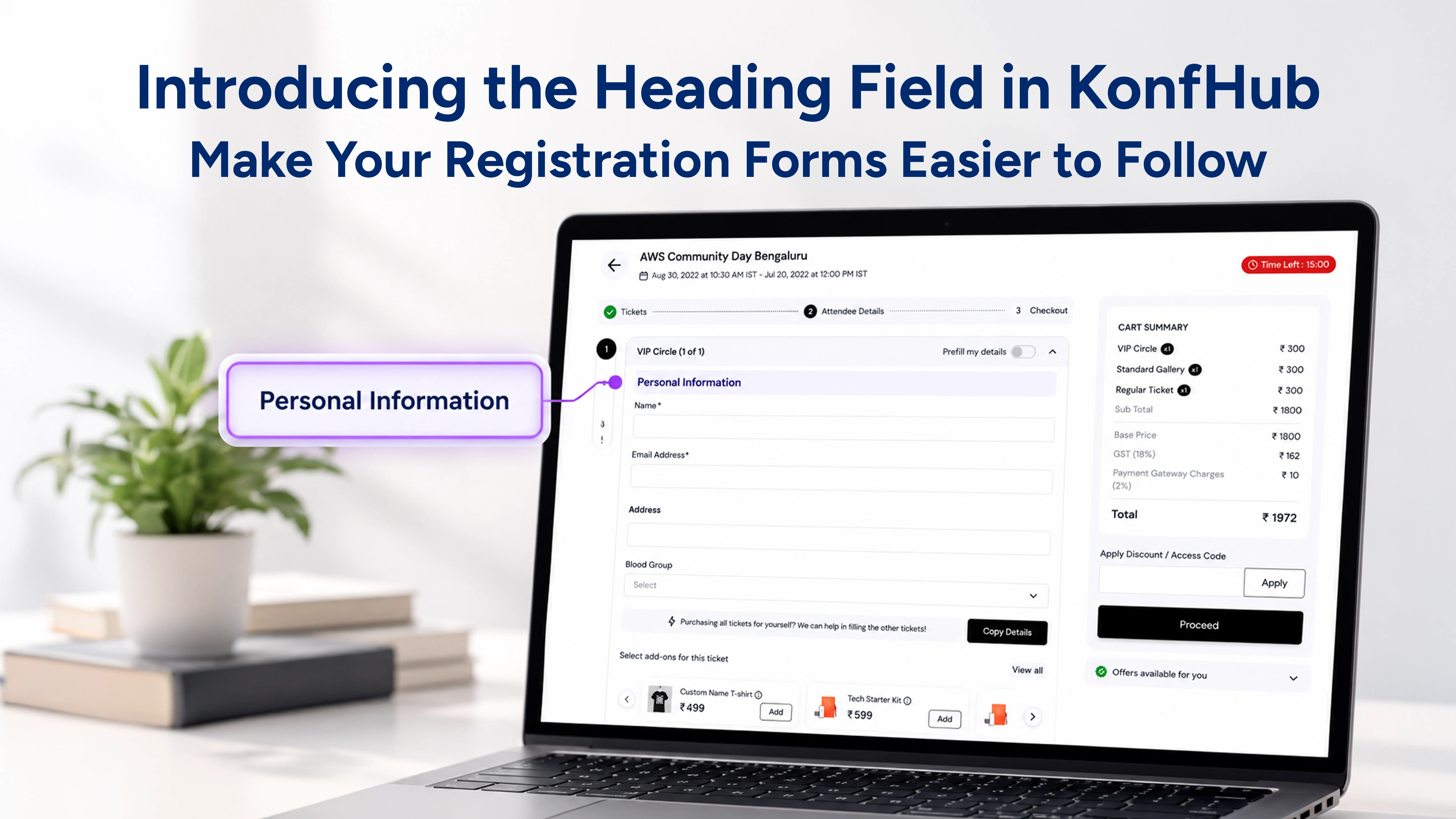
The add-on selection process is built directly into the registration flow.
Step 1: Select Main Ticket
The attendee selects their preferred event ticket on the registration page and clicks Proceed.
Step 2: Fill Registration Details
On the checkout page, participants enter their registration details as usual.
Step 3: Add Optional Add-Ons
The same page displays all available add-ons linked to the selected ticket.
Attendees can:
Review available add-ons
Click Add for the desired add-on
Provide attendee details for the add-on if required
For example:
T-shirt size selection
Workshop participant information
Merchandise recipient details

Step 4: Checkout
Once all required information is completed, attendees proceed to payment and complete their registration in a single transaction.
Once the Participant is successfully registered, the organizer can find the Add-ons details in a separate tab under Participants >> Attendees >> Add-ons.

Make Every Registration More Valuable
Ticket Add-Ons give event organizers the flexibility to offer more than just entry to an event. Whether you're selling merchandise, premium experiences, workshops, meals, or exclusive access, add-ons help create a richer attendee experience while generating additional revenue opportunities.
With KonfHub's Ticket Add-Ons, attendees get the freedom to customize their registrations, and organizers gain a smarter, more scalable way to manage event offerings—all within a single registration flow.
Frequently Asked Questions (FAQs)
Can attendees purchase add-ons without buying a main event ticket?
No. Ticket Add-Ons cannot be purchased independently. They are only available after an attendee selects and purchases an associated primary event ticket.
Can I offer both free and paid add-ons?
Yes. Organizers can create both free and paid add-ons depending on the event requirements. For example, free workshop access or paid merchandise, VIP experiences, and meal vouchers.
Can different ticket categories have different add-ons?
Absolutely. You can link specific add-ons to individual ticket categories, ensuring attendees only see options that are relevant to the ticket they have selected.
Do add-on tickets support GST and HSN/SAC codes?
Yes. Adding GST is mandatory for add-on tickets, and organizers can optionally provide HSN/SAC codes to generate GST-compliant invoices and accurately classify products or services.
Can I add images to ticket add-ons?
Yes. Unlike standard tickets, add-ons support images. This is useful for showcasing items such as event T-shirts, medals, merchandise packs, or other physical products.
Where can organizers view add-on purchases after registration?
Once participants complete their registrations, organizers can access all add-on information under Participants → Attendees → Add-ons, making it easy to manage merchandise, workshops, meals, and other logistics.
Can attendees provide additional information for specific add-ons?
Yes. During checkout, attendees can fill in add-on-specific details when required, such as T-shirt sizes, workshop participant information, delivery preferences, or merchandise recipient details.
About the author
KonfHub is an AI-powered, GDPR-compliant platform for seamless ticketing, secure attendee management, and smooth event operations. Say goodbye to complexity and hello to seamless, powerful event management!
Comments
Join the discussionNo comments yet. Be the first to comment.