Creating an event registration page is one of the most important steps in the event planning process. Long before attendees experience your agenda, speakers, networking sessions, or venue, they interact with your registration page. It's the point where curiosity turns into commitment and where potential attendees decide whether registering feels easy, trustworthy, and worth their time.
Unfortunately, many event organizers lose registrations not because of a lack of interest, but because of avoidable friction in the registration process. Lengthy forms, unclear ticket options, poor mobile experiences, and confusing payment flows can quickly increase drop-offs and reduce conversions. Even a highly anticipated event can struggle if the event registration form creates unnecessary barriers for attendees.
That's why experienced organizers view an event registration page as much more than a signup form. It's the foundation of the attendee journey, influencing registration rates, attendee experience, communication workflows, and event operations. A well-designed registration page simplifies online event registration, collects the right information, builds trust, and helps increase event registrations without overwhelming users.
In this guide, we'll cover the best practices for creating a high-converting event registration page, reducing registration abandonment, improving user experience, and building a registration process that sets your event up for success from day one.
Why the registration page carries more weight than most teams realize
Registration is not a neutral step. It shapes expectations before an attendee ever sees your agenda, speakers, or venue.
A well-designed registration experience quietly communicates competence. It tells attendees the event will be organized, predictable, and respectful of their time. A poorly designed one does the opposite, even if the content of the event is strong.
From a systems perspective, registration is where you establish:
What data you will (and won’t) rely on later
How tickets, access, and pricing are enforced
How attendees move through the rest of your event lifecycle
This is why experienced teams treat registration as foundational infrastructure, not marketing garnish.
What every event registration page must do - at a minimum
Before thinking about optimization, it’s worth grounding on fundamentals. Regardless of event size or format, a registration page has a few non-negotiable responsibilities.
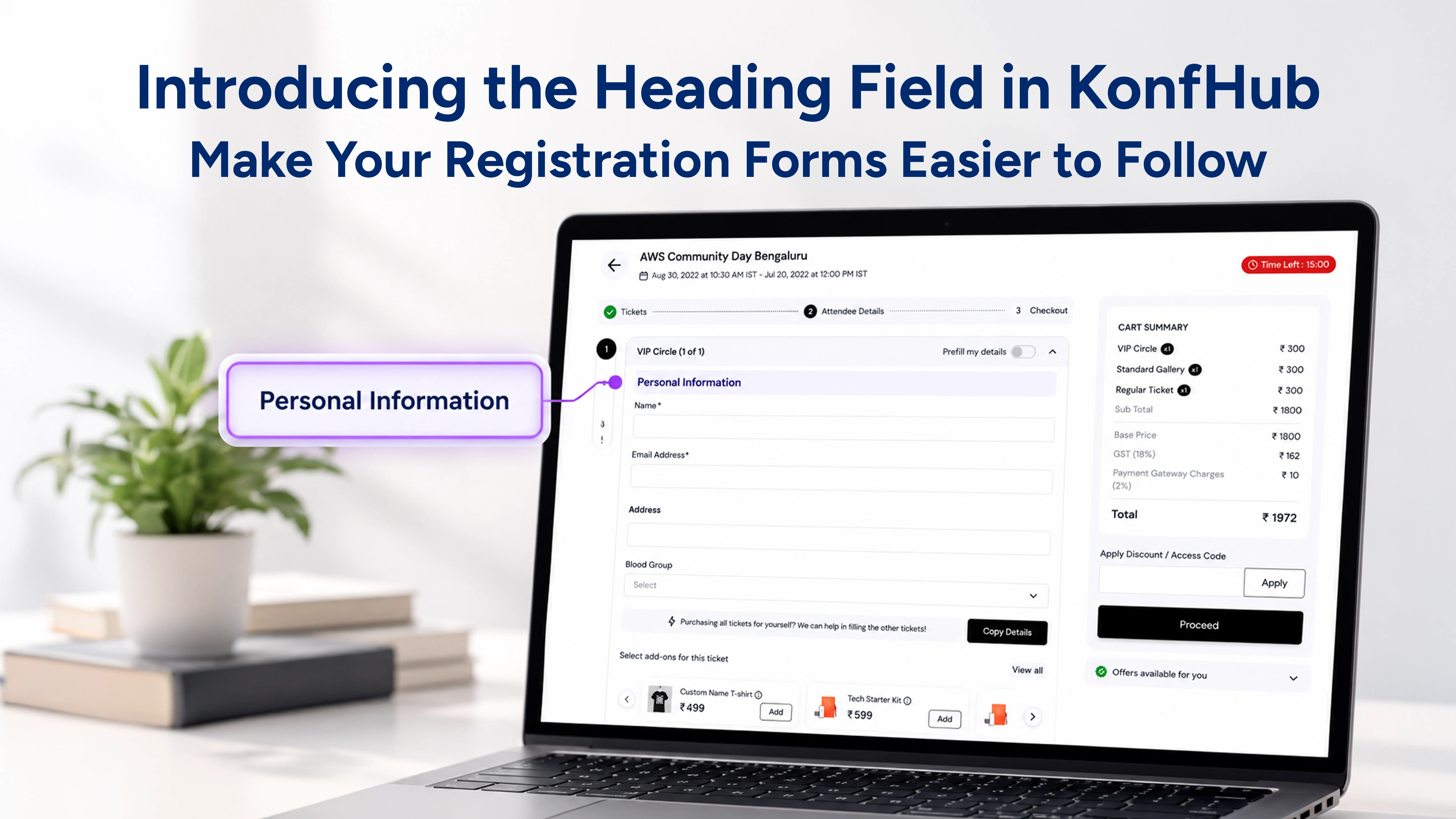
It needs to clearly identify who the attendee is and how to reach them. It must let them understand what they’re buying or signing up for, without ambiguity. If payment is involved, it must make that process predictable and trustworthy. And it must collect only the information that will actually be used.
That usually translates into:
Basic contact details that support communication and verification
A clear breakdown of ticket types, pricing, and eligibility
A checkout experience that does not introduce surprises
Optional fields that appear only when they are relevant
Tools like Konfhub are built around this principle: capture what matters now, defer what can wait, and keep the initial commitment lightweight.
Bonus Read: Post-Event Checklist: Turn Event Data Into Better Results
Designing registration pages that reduce friction instead of creating it
Most abandoned registrations fail for boring reasons. They feel longer than expected. They don’t behave well on mobile. They ask questions that feel premature or unnecessary.
Good registration design is mostly about restraint.
Ask less, but ask with intent
Every additional field introduces hesitation. That doesn’t mean you shouldn’t collect meaningful data - but you need to be deliberate about timing.
If a piece of information is not required to issue a ticket, send a confirmation, or grant access, it probably doesn’t belong in the initial flow. Information about session preferences, dietary restrictions, or networking interests can be collected later, once the attendee has already committed.
Conditional logic helps here. When forms adapt based on ticket type or attendee role, they feel shorter even when they’re collecting richer data.
Break long flows into smaller commitments
When more information is genuinely required upfront, multi-step forms are usually easier to complete than a single dense page. The psychological difference is subtle but real: people are more willing to continue when progress feels visible and finite.
This is especially important for B2B events where approvals, invoices, or group registrations are common.
Design for mobile first, not as an afterthought
A majority of registrations now happen on phones. If your registration page assumes a desktop screen, you are creating friction by default.
Mobile-friendly design is less about aesthetics and more about mechanics: fewer text inputs, smarter defaults, clear tap targets, and predictable scrolling behavior. If the experience degrades on mobile, conversion will too.
Personalization without overwhelming the attendee
Personalization does not require complexity at the first step. In fact, heavy-handed personalization early on often backfires.
The goal at registration is not to know everything about the attendee. It’s to know just enough to shape what comes next.
Conditional logic allows forms to adapt quietly. A speaker sees speaker-specific fields. A VIP sees access-related questions. A virtual attendee is not asked about meals or badges. This kind of relevance reduces cognitive load while improving data quality.
Progressive profiling builds on this idea. Instead of front-loading questions, you collect information gradually across confirmation emails, attendee apps, and pre-event workflows. Attendees are more willing to share once trust is established.
Branding matters, but clarity matters more
A registration page should look like it belongs to your event. That doesn’t mean heavy visuals or elaborate layouts. It means consistency.
Clear typography, recognizable logos, and restrained use of color go a long way toward credibility. More importantly, the page should explain itself without decoration. Attendees should never wonder what happens after they click “Register.”
Confirmation pages and emails are part of the same experience. They should reinforce what the attendee just committed to, outline next steps, and remove uncertainty.
White-labeling features - custom domains, branded emails, and control over post-registration messaging - are useful here not for aesthetics, but for trust.
Payments: where many registration flows quietly fail
If payment is involved, this is where friction compounds quickly.
The rule is simple: if someone is ready to pay, nothing should slow them down.
That means offering payment methods that align with your audience. For B2B events, invoicing and group payments are often as important as credit cards. For international audiences, currency clarity and tax handling matter.
Transparency is critical. Attendees should see the full cost before they enter payment details. Processing fees, taxes, and refund policies should not be hidden or deferred.
Automation helps here as well. Pricing rules, ticket caps, and discount logic should execute predictably without manual intervention. The fewer edge cases your team has to manage, the fewer errors make it to attendees.
What usually goes wrong (even for experienced teams)
Most registration issues are not caused by lack of effort, but by assumptions.
Teams assume they need more data than they do. They assume attendees will tolerate complexity because the event is valuable. They assume people will complete forms later if they don’t finish now.
In reality, unclear fields, unmarked requirements, poor accessibility, and outdated tooling create silent drop-off. Accessibility in particular is often overlooked, even though compliant forms benefit everyone, not just users with assistive needs.
Modern registration platforms reduce many of these risks by default, but they don’t replace judgment. Someone still needs to decide what belongs in the form - and what doesn’t.
Treat registration as the start of the event, not the gate
A registration page is not just a mechanism for collecting names. It’s the first real interaction an attendee has with your event operations.
When done well, it feels straightforward, intentional, and respectful. It sets the tone for everything that follows: communication, check-in, engagement, and post-event follow-up.
The teams that get this right are not the ones with the flashiest pages. They are the ones that understand registration as a system - one that should quietly support the event, not draw attention to itself.
If people finish your registration page without thinking about it, you’ve probably done your job well.
Conclusion
Your event registration page is more than just a place where attendees enter their details. It is the first real interaction people have with your event and often determines whether they register or leave. A clear, user-friendly registration experience can increase event registrations, reduce drop-offs, and build confidence in your event from the very beginning.
The most effective event registration pages focus on simplicity, clarity, and convenience. By minimizing unnecessary fields, optimizing for mobile users, offering transparent ticketing options, and creating a smooth registration process, organizers can significantly improve conversion rates and attendee satisfaction.
Remember, successful online event registration isn't about collecting the most information. It's about making it easy for the right attendees to commit. When your registration page removes friction instead of creating it, every stage of the event journey becomes easier, from attendee management and communication to check-in and post-event engagement.
Whether you're organizing a conference, workshop, corporate event, or virtual event, investing time in creating a high-converting event registration page can have a direct impact on registrations, attendee experience, and overall event success.
FAQs
What is an event registration page?
An event registration page is a dedicated webpage where attendees can register for an event, select ticket types, complete payments, and provide the information organizers need to manage attendance and communication.
What should an event registration page include?
A successful event registration page should include event details, ticket options, pricing information, registration forms, payment options, event dates, location details, FAQs, and clear calls to action that encourage attendees to register.
How can I increase conversions on my event registration page?
To increase event registrations, keep forms short, optimize for mobile devices, simplify ticket selection, provide transparent pricing, use trust signals, and ensure the registration process is fast and easy to complete.
Why do attendees abandon event registration forms?
Common reasons include lengthy forms, confusing ticket options, hidden fees, poor mobile experiences, technical issues, and requests for information that attendees don't feel comfortable sharing during the initial registration process.
How many fields should an event registration form have?
The best practice is to collect only the information needed to complete registration and communicate with attendees. Additional attendee data can often be gathered later through surveys, attendee apps, or pre-event communications.
How important is mobile optimization for an event registration page?
Mobile optimization is critical because a large percentage of online event registrations happen on smartphones. A mobile-friendly registration page improves user experience, reduces abandonment rates, and helps increase registration conversions.
What's the difference between an event registration page and an event ticketing platform?
An event registration page is the attendee-facing registration experience, while an event ticketing platform manages ticket sales, registrations, payments, attendee data, event communication, analytics, and event operations behind the scenes.
How do event registration pages impact attendee experience?
A well-designed event registration page creates a positive first impression, builds trust, reduces confusion, and sets clear expectations for attendees. This often leads to higher satisfaction throughout the entire event journey.
About the author
KonfHub is an AI-powered, GDPR-compliant platform for seamless ticketing, secure attendee management, and smooth event operations. Say goodbye to complexity and hello to seamless, powerful event management!
Comments
Join the discussionNo comments yet. Be the first to comment.