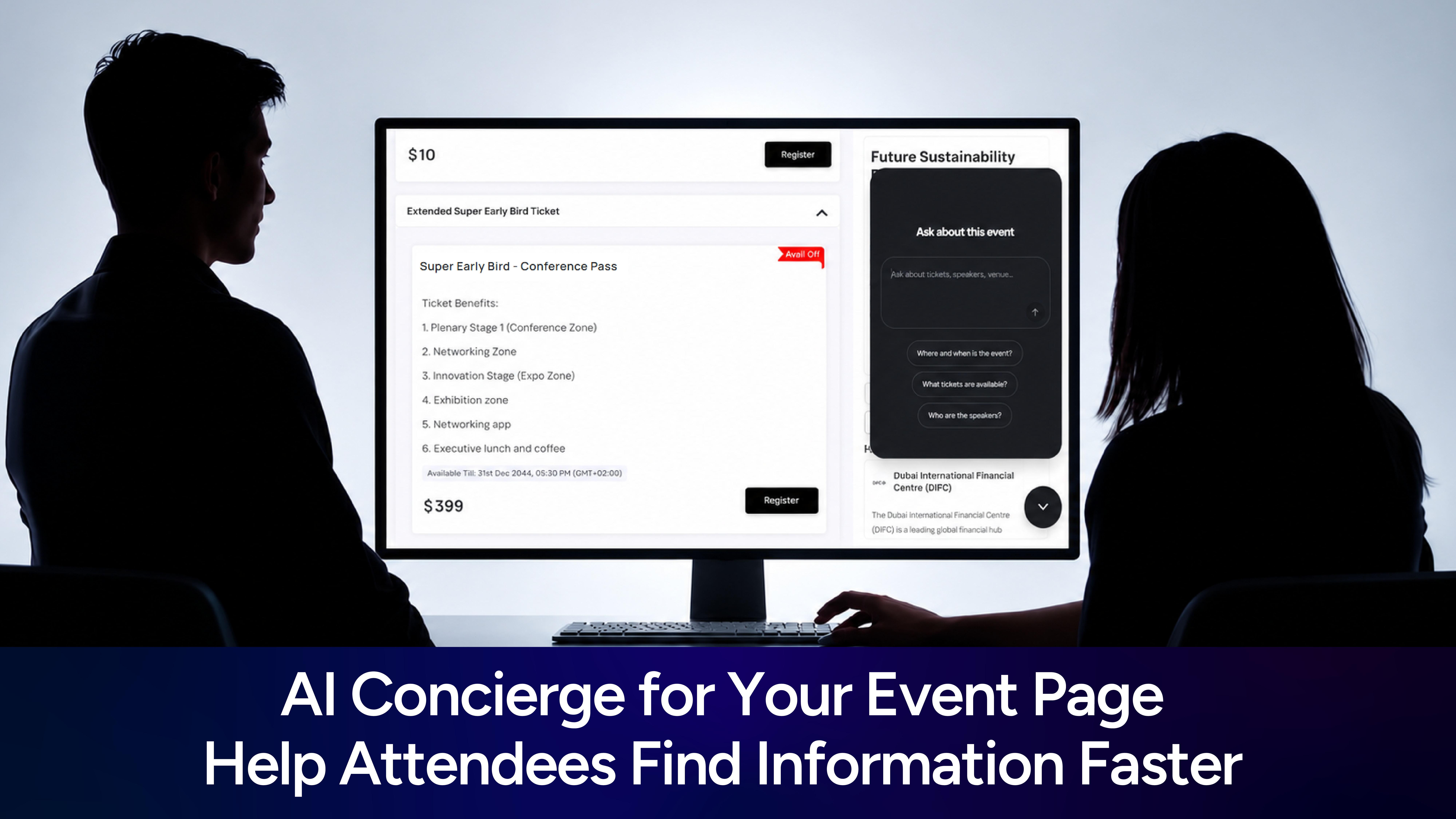
AI Concierge for Your Event Page: Help Attendees Find Information Faster
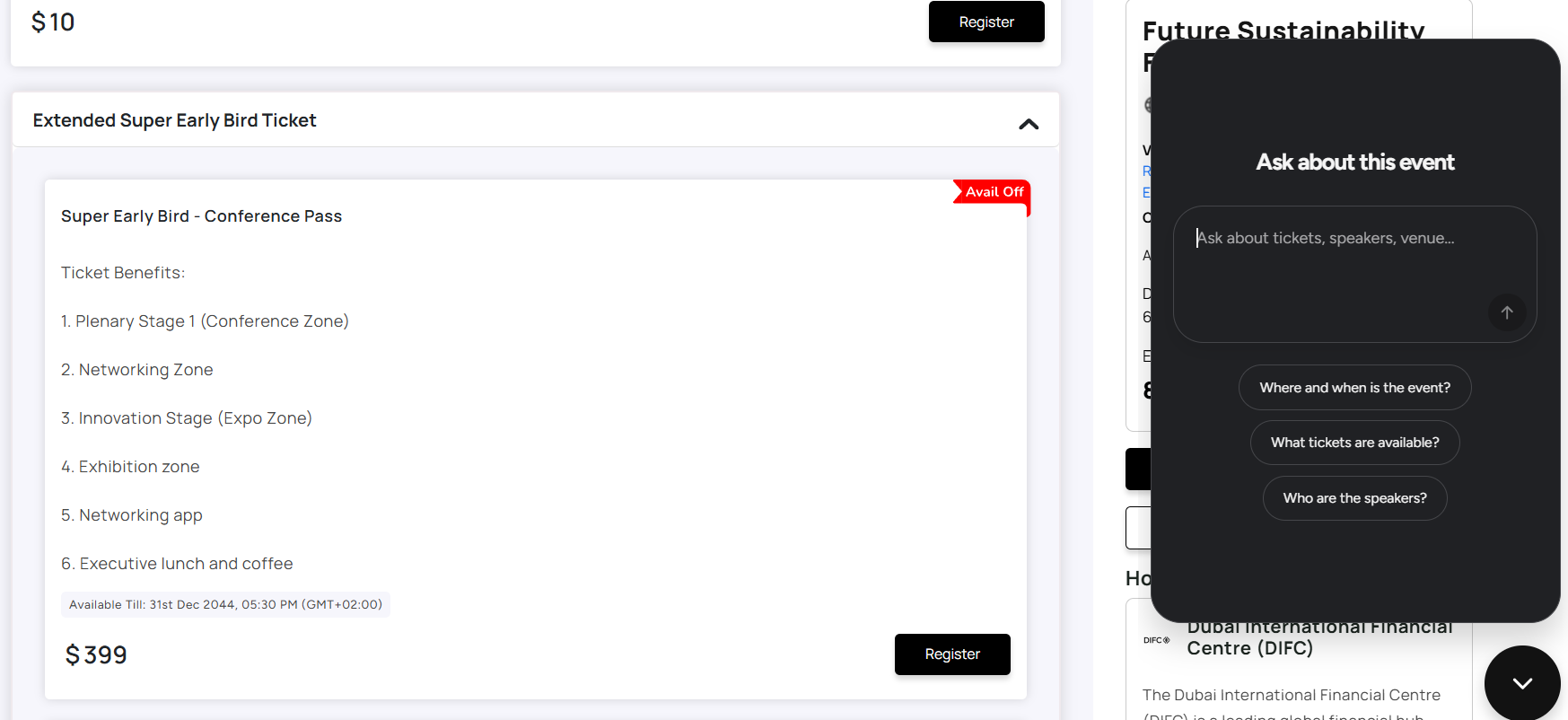
Event pages can have a lot of information, from the event schedule and speakers to tickets and organizer details. Instead of making visitors search through the page for every detail, KonfHub’s AI Concierge lets them simply ask.
The AI Concierge is a chat widget that can answer questions about your event using the information you choose to make available to it.
For example, a visitor can ask:
“Who are the speakers at this event?”
“What is the ticket price?”
“Where is the event happening?”
“What sessions are scheduled in the afternoon?”
“Who is organizing the event?”
In this blog, let us see how you can embed an AI-powered event concierge on your website to help attendees instantly find information, answer event-related questions, and navigate the event with ease.
And creating that AI Concierge for your event is super easy. Configure which event information it can access, then copy and paste the generated embed code into your website. Really - it is that much easy!
What can visitors ask the AI Concierge?
The concierge can help visitors find information from the event modules you select.
Event details
Visitors can ask about the event, including details such as the date, venue, and other information available on the event page. For example: “Where is the event being held?”
Organizer details
Visitors can ask about the organizer and the information provided about them. **For example:
**“Who is organizing this event?”
Agenda
Visitors can ask questions about sessions, timings, speakers, and other agenda information.
For example: “Who is speaking in the morning session?”
Tickets
Visitors can ask about the available tickets and their prices. For example: “What ticket options are available?”
The concierge uses the information from the selected modules to answer these questions.
How to Create an AI Concierge in KonfHub
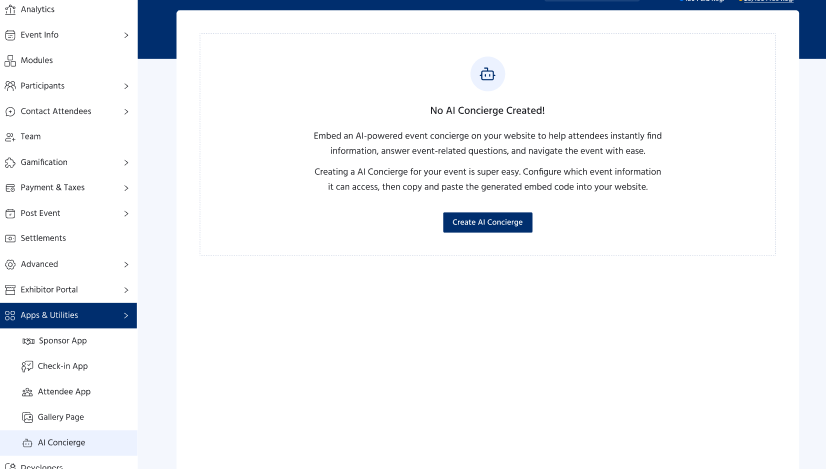
The AI Concierge is available under Apps & Utilities in KonfHub.
Note: The AI Concierge is currently available with the Gold plan and needs to be enabled by the KonfHub team.
Once the feature is enabled for your account, you can create a concierge for your event.
Step 1: Go to Apps & Utilities
Log in to your KonfHub organizer account and go to Apps & Utilities.
Find the AI Concierge option and click on Create AI Concierge.
Step 2: Select the event modules
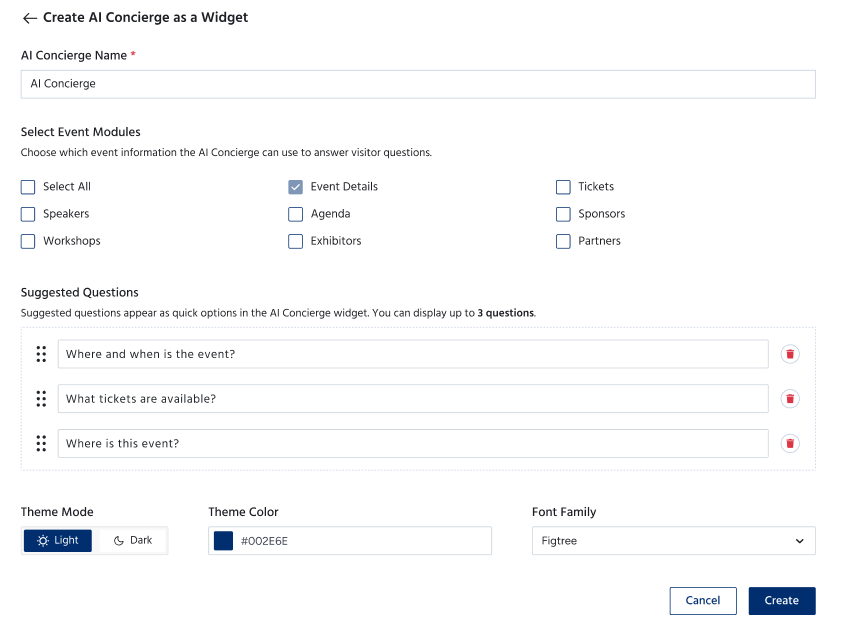
Choose the event modules that you want the AI Concierge to use when answering visitor questions.
You can select the relevant event information, such as:
Event details
Organizer details
Agenda
Tickets
The concierge will use the information from the modules you select to answer questions.
This also gives organizers control over what information the concierge can access.
Step 3: Add suggested questions
You can add or edit the suggested questions shown to visitors when they open the chat.
These can be questions that attendees are most likely to ask about your event.
For example:
“Who are the speakers?”
“What is the event agenda?”
“How much does a ticket cost?”
“Where is the venue?”
This gives visitors a starting point and makes it easier for them to use the concierge.
Step 4: Customize the look
You can customize the appearance of the AI Concierge to match your event page.
The available options include:
Theme mode
Colour
Font family
A preview is available while setting up the concierge, so you can see how it will look before using it.
How to Add the AI Concierge to Your Event Page
Once your concierge is created, you can add it to your event in two ways.
Using a KonfHub event page
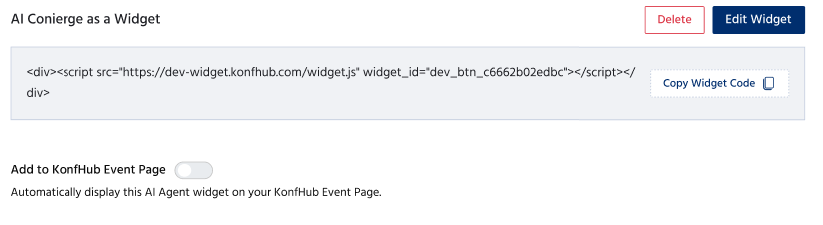
If you are using KonfHub’s event page for registration, you can simply enable the AI Widget after creating the concierge by enabling the “Add to KonfHub Event Page” toggle.
This will automatically display this AI Agent widget on your KonfHub Event Page.
Using your own website
If your event information or registration page is hosted on your own website, you can also use the concierge there.
Simply copy the provided embed code and add it to your website.
This allows visitors to use the same AI Concierge without having to visit the KonfHub event page.
How does it work for visitors?
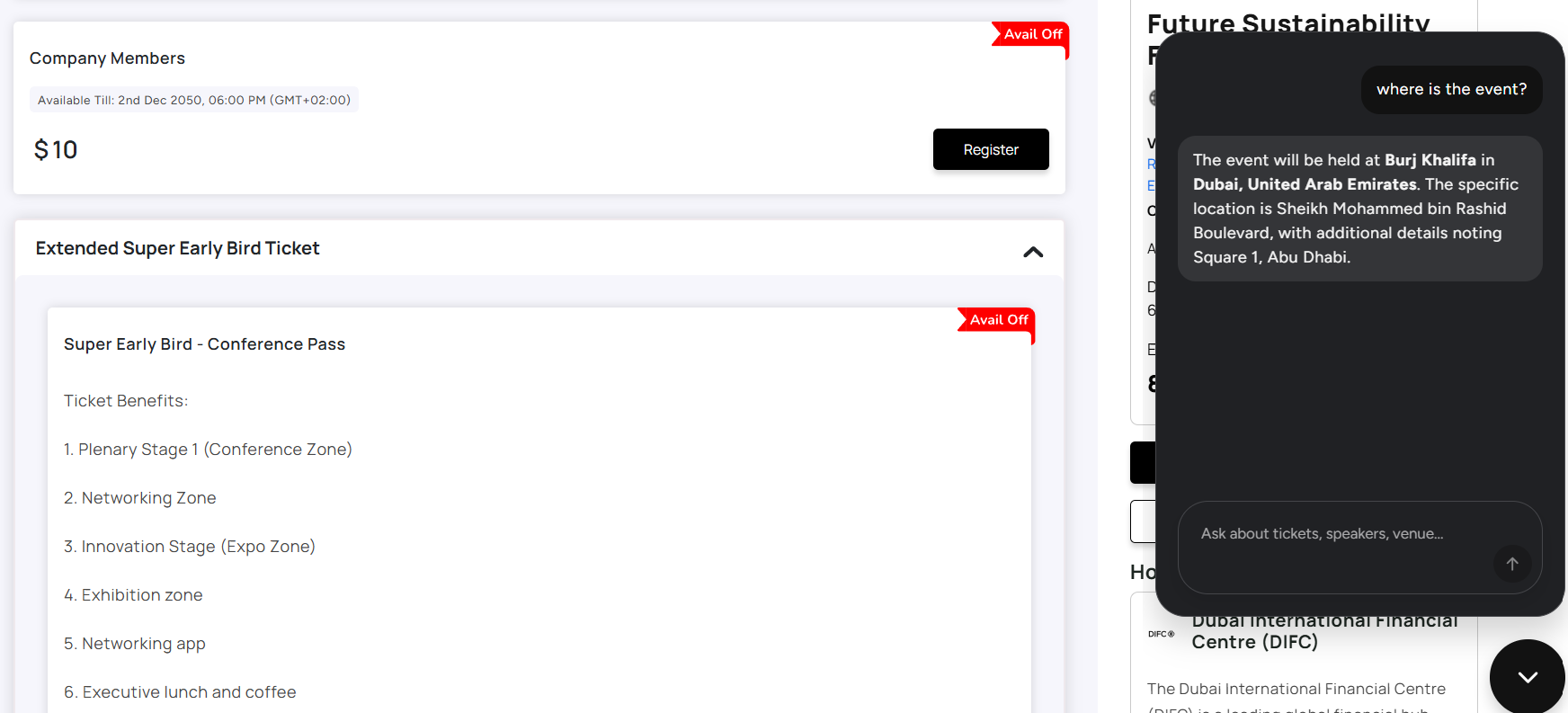
Once the widget is available on the event page or website, visitors can open the chat and start asking questions.
They don't need to know where the information is located on the page.
For example, instead of scrolling through a long agenda to find a particular speaker, they can ask:
“Who is speaking in the afternoon?”
Or, instead of looking through the ticket section:
“What is the price of the conference ticket?”
The concierge checks the information made available to it and responds with the relevant event details.
Visitors can also use the suggested questions provided by the organizer if they aren't sure where to start.
Why use AI Concierge for your event?
Makes event information easier to find
Attendees don't always visit an event page with the time or patience to go through every section. A quick question can help them get to the information they need faster.
Useful for information-heavy events
A conference with several sessions, speakers and ticket types can have a lot of information on its registration page. The concierge gives attendees another way to navigate that information.
Gives attendees a more interactive experience
Instead of only reading through a page, visitors can interact with the event information by asking questions in their own words.
Lets organizers control the information
The concierge doesn't require you to make your entire event page available to it. You choose the modules it can use while setting it up.
Works on your own website too
You can use the concierge beyond the KonfHub registration page by embedding it on your website. This is useful if your event has a separate website but you still want to provide attendees with an easy way to find event information.
Conclusion
A good event page should give attendees the information they need without making them work too hard to find it. The AI Concierge adds a simple way to do that, attendees can ask a question and get an answer based on the information you've provided for the event.
For organizers, there is also room to make the experience their own. You can decide which event information the concierge can use, add questions for attendees, customize its appearance and choose where to display it.
Whether you're hosting a conference with a packed agenda or a smaller event with a few key details, AI Concierge makes your event information easier to access and a little easier to navigate.
AI Concierge is available with the KonfHub Gold plan.
Frequently Asked Questions
What is AI Concierge in KonfHub?
AI Concierge is a chat widget that helps event visitors find information by answering questions about the event. It uses the event information selected by the organizer, such as event details, organizer information, agenda, and tickets.
What information can AI Concierge provide to attendees?
AI Concierge can provide information from the modules selected by the organizer. This can include event details, organizer details, agenda information, and ticket details.
How can I create an AI Concierge for my event?
Go to Apps & Utilities in your KonfHub account and select AI Concierge. Once the feature is enabled by the KonfHub team, you can create a concierge, select the event information it can use, add suggested questions, and customize its appearance.
Can I customize the AI Concierge?
Yes. You can add or edit the suggested questions shown to visitors and customize the widget's theme mode, colour, and font family. You can also preview the widget before making it available.
Can I add AI Concierge to my own website?
Yes. If you are using your own website for the event, you can copy the AI Concierge embed code and add it to your website. If you are using a KonfHub registration page, you can enable the AI Widget directly on the event page.
Which KonfHub plan includes AI Concierge?
AI Concierge is currently available with the Gold plan. The feature also needs to be enabled by the KonfHub team before you can create a concierge.