Virtual Event Guide: How to Plan and Host One
Planning a virtual event involves more than choosing a video platform and sending attendees a meeting link. You need to define the event goal, choose the right format, build an agenda, prepare speakers, plan attendee interaction, test the technology, promote the event, and measure what happened afterward.
This virtual event guide walks you through the process from planning to post-event follow-up. It covers the main types of virtual events, how to choose the right platform, a practical planning timeline, attendee engagement strategies, technical preparation, promotion, event-day execution, and the metrics that matter.
Whether you're organizing a webinar, virtual conference, online workshop, networking event, virtual trade show, or company event, the same principle applies: design the online experience around what attendees need to accomplish, not just the technology you're using.
Quick virtual event checklist:
Define the event goal and success metrics
Identify your audience and expected attendance
Choose the event format and session structure
Select a virtual event platform
Build the agenda and confirm speakers
Set up registration and attendee communications
Plan interactive elements and networking
Promote the event across relevant channels
Test the platform, audio, video, and presentations
Rehearse the event with speakers and moderators
Run the event with dedicated technical support
Follow up with recordings, resources, and surveys
Measure attendance, engagement, satisfaction, and business outcomes
Use the sections below as a step-by-step virtual event planning guide, or jump directly to the checklist, platform selection, engagement, or hosting sections you need.
Virtual Event Planning Checklist
Use this checklist to plan a virtual event from the initial idea through post-event follow-up.
Planning stage | Key tasks |
6–8+ weeks before | Define goals, audience, format, budget, date, and event platform |
4–6 weeks before | Confirm speakers, create the agenda, open registration, and begin promotion |
2–4 weeks before | Prepare presentations, configure the event experience, and schedule attendee communications |
1 week before | Complete technical testing, speaker rehearsals, accessibility checks, and final promotion |
1 day before | Confirm the run of show, speaker links, recordings, backups, and support contacts |
Event day | Monitor speakers, sessions, chat, Q&A, attendance, and technical issues |
After the event | Send recordings and resources, collect feedback, analyze performance, and follow up with leads or attendees |
Before the event
Define one primary event objective
Identify your target audience
Estimate registrations and live attendance
Select the event format
Choose the platform
Set the budget
Confirm speakers and moderators
Build the agenda
Create the registration page
Set up attendee communications
Plan engagement activities
Create a technical backup plan
During the event
Start the technical check before attendees arrive
Confirm every speaker is ready
Monitor audio and video
Keep sessions on schedule
Run polls and Q&A at planned points
Moderate chat and attendee questions
Help attendees who experience technical problems
Track attendance and engagement
After the event
Send a thank-you message
Share recordings and presentation materials
Send the attendee survey
Review attendance and engagement data
Follow up with qualified leads
Review speaker and attendee feedback
Document lessons for the next event
What is a Virtual Event?
A virtual event is an event hosted online where attendees participate remotely through a website or virtual event platform instead of attending a physical venue. Depending on the format, participants may watch live sessions, ask questions, join discussions, network with other attendees, visit exhibitor spaces, or access recorded content.
Virtual events can range from a 30-minute webinar to a multi-day conference with multiple tracks, speakers, sponsors, networking sessions, and on-demand content.
Unlike a basic video meeting, a professionally planned virtual event typically combines several parts of the attendee journey, including registration, event access, content delivery, audience interaction, networking, communication, and post-event follow-up.
The right setup depends on the event goal. A small educational webinar may only need registration, live video, Q&A, and recording, while a large virtual conference may require multiple sessions, networking, sponsor areas, analytics, and dedicated technical support.
Types of Virtual Events: Which Format Is Right for You?

The best virtual event format depends on what you want attendees to do. A webinar designed to educate an audience has different requirements from a virtual conference designed for networking and multiple sessions.
Virtual event type | Best for | Typical features |
Webinar | Education, thought leadership, product demos | Presentation, Q&A, polls, recording |
Virtual conference | Multi-session learning and networking | Keynotes, tracks, networking, Q&A |
Online workshop | Hands-on learning | Small groups, exercises, breakout rooms |
Virtual networking event | Relationship building | Matchmaking, breakout rooms, discussions |
Virtual trade show | Product discovery and lead generation | Exhibitor booths, demos, lead capture |
Virtual expo | Showcasing multiple products or organizations | Booths, content, networking |
Virtual job fair | Connecting employers and candidates | Employer booths, applications, interviews |
Online community event | Member engagement and community building | Discussions, presentations, networking |
Quick rule: If your primary goal is one-way education, a webinar may be enough. If attendees need to choose sessions, network, interact with sponsors, or move through multiple event areas, look for a dedicated virtual event platform rather than relying only on a basic video conferencing tool.
Benefits of hosting virtual events
Virtual events have surged in popularity due to a host of compelling advantages they offer to event organizers and participants alike. Let's explore some of the key benefits that make virtual events a powerful choice.
Increased accessibility
Global reach
Cost-effectiveness
Reduced environmental impact
Data insights
Enhanced engagement

1. Increased accessibility
Virtual events shatter geographical barriers, enabling participation from anywhere, even amidst busy schedules, without the need for physical presence. This inclusivity ensures a diverse and inclusive audience, leading to a more dynamic exchange of ideas and perspectives.
Such events attract a broad spectrum of attendees, including those who may have faced constraints attending in person.
This expanded reach facilitates connections with stakeholders, clients, and partners from various backgrounds.
Embracing virtual events not only transcends these advantages but also amplifies your event's impact, aligning perfectly with the evolving demands of our interconnected world.
2. Global reach
With virtual events, your reach knows no bounds. You can connect with a global audience, expanding your event's impact far beyond what a physical venue could accommodate. This global exposure helps you tap into new markets and opportunities.
3. Cost-effectiveness
Hosting virtual events often translates to substantial cost savings. There's no need to invest in venue rentals, travel arrangements, or physical materials. This cost-efficiency benefits both organizers and attendees, making participation more affordable.
4. Reduced environmental impact
By eliminating the need for travel and minimizing resource consumption, virtual events contribute to a lower carbon footprint. This aligns with sustainability goals and showcases your commitment to environmentally responsible practices.
5. Data insights
Virtual events provide valuable data insights that can inform future event planning. Analyzing attendee engagement, session popularity, and interaction patterns allows organizers to refine strategies and enhance future experiences.
6. Enhanced engagement
Interactive features unique to virtual events, such as live polls, Q&A sessions, and virtual networking lounges, foster greater engagement among participants. Attendees can actively participate, ask questions, and share insights in real time.
While engagement may not be as powerful as physical events, this will fall under how accessible it is to everyone.
When Should You Host a Virtual Event?
Virtual events work particularly well when location, travel, or scheduling would otherwise limit participation.
Consider a virtual format when you:
Need to reach attendees across multiple cities or countries
Want to deliver educational content to a large audience
Need to bring together speakers who cannot travel to one location
Want to offer an event with lower venue and travel requirements
Need an accessible option for people who cannot attend in person
Want to record sessions and reuse the content afterward
Need detailed data on registrations, attendance, session participation, or engagement
Are testing a new event concept before investing in a larger physical event
Virtual is not automatically the best format for every event. Events built primarily around physical experiences, hands-on activities, or face-to-face relationship building may benefit more from an in-person or hybrid format.
The right choice should start with the event objective and attendee needs, not the technology.
How Does a Virtual Event Work From Registration to Follow-Up?
Virtual events harness a variety of processes to replicate the essence of in-person gatherings through digital platforms. Here's a breakdown of how they work, from participant access to engagement.

Platform selection: Event organizers choose a suitable virtual event platform. These platforms provide the infrastructure to host sessions, presentations, and networking opportunities. Popular options include Zoom, Microsoft Teams, Hopin, and Remo.
Registration: Participants register for the event through an online portal. Upon registration, they receive login details and access instructions via email.
Access and navigation: Attendees access the virtual event using a computer, tablet, or smartphone with an internet connection.
Sessions and presentations: Virtual events feature various sessions, much like traditional conferences. These can include keynote speeches, panel discussions, workshops, and more. Attendees can choose which sessions to join based on their interests.
Interaction and engagement: Attendees interact with hosts and other participants through live chat, Q&A sessions, and polls. They can ask questions, share insights, and actively participate in discussions. Some platforms even allow for private one-on-one video networking.
Networking areas: Virtual events often have designated networking areas where participants can engage in casual conversations, just like at physical events. These areas may include virtual lounges, breakout rooms, and themed discussion groups.
Exhibition spaces: In virtual trade shows and expos, exhibitors set up virtual booths to showcase their products and services. Attendees can visit these booths, interact with representatives, and access marketing materials.
Content availability: Most virtual events offer recorded sessions for attendees who might have missed live presentations or wish to revisit content later. These recordings remain accessible even after the event concludes.
Feedback and surveys: Organizers gather feedback from participants through surveys and polls. This information is valuable for improving future events and understanding attendee preferences.
Conclusion and follow-up: As the event wraps up, organizers may share contact information and resources with attendees. Post-event communication can include follow-up emails, access to recorded content, and details about upcoming events.
Overall, the mechanics of virtual events prioritize accessibility and interactivity. They utilize technology to create engaging and immersive experiences that connect participants regardless of their physical location.
As you explore hosting a virtual event, selecting the right platform and crafting engaging content will be pivotal in delivering a successful and memorable experience.
What Does a Virtual Event Need to Succeed?
Creating a successful virtual event requires careful consideration of various key components that ensure a seamless and engaging experience for participants. Here are the essential elements that contribute to the success of virtual events.

1. Registration processes
A user-friendly registration process is the first touchpoint for attendees. Make sure it's simple and intuitive, collecting necessary information while minimizing friction. This process sets the tone for the attendee journey.
2. Interactive features
Interactive elements like polls, Q&A sessions, and chat functionalities bring real-time engagement to virtual events. Polls gather instant feedback, Q&A sessions encourage audience interaction, and chat features allow participants to connect with each other and the hosts.
3. Live streaming
Live streaming is the heart of a virtual event, enabling real-time presentations, keynotes, and discussions. It provides a sense of immediacy and authenticity, allowing participants to experience content as it unfolds.
4. Pre-recorded content
Supplement live sessions with pre-recorded content. This ensures consistency and flexibility, allowing attendees to access valuable content at their convenience. Pre-recorded content can include workshops, tutorials, and informative videos.
Ensure all content, including presentations and materials, is easily accessible to participants. Provide captions, transcripts, and translations if applicable to ensure inclusivity.
5. Networking opportunities
Virtual events offer networking areas where participants can connect with peers, speakers, and exhibitors. Implement features like virtual lounges, breakout rooms, and one-on-one video chats to facilitate meaningful interactions.
6. Exhibitor booths
For trade shows and expos, virtual exhibitor booths showcase products and services. These booths can include multimedia content, downloadable resources, and direct communication channels to connect with attendees.
7. Gamification
Adding gamification elements, such as leaderboards, challenges, and rewards, enhances participant engagement. Event gamification encourages attendees to actively participate and explore the event's offerings.
8. Analytics and insights
Utilize data analytics tools to gather insights into attendee behavior and preferences. This data helps in assessing the event's impact, identifying areas for improvement, and tailoring future events to better suit the audience.
9. Post-event resources
Extend the value of your virtual event by offering post-event resources. Provide access to session recordings, downloadable materials, and follow-up content to keep the engagement alive even after the event ends.
Virtual event planning fundamentals
Planning a virtual event requires a strategic approach to ensure its success. Here's a step-by-step guide to help you navigate the essential elements of the planning process.

Define goals and objectives: Start by clearly outlining the purpose of your event. Are you aiming to educate, network, promote, or launch? Set specific goals and objectives that align with your event's purpose. This foundation will guide your entire planning process.
Identify target audience: Determine who your event is intended for. Understand your target audience's preferences, needs, and pain points. Tailor your content, format, and engagement strategies to resonate with this audience.
Set a budget: Establish a realistic budget that covers all aspects of the event, including platform costs, marketing, content creation, speaker fees, and technical support. Be mindful of cost-effective options without compromising quality.
Select the right platform: Choose a virtual event platform that suits your goals and audience size. Ensure the platform offers the necessary features for engagement, networking, and content delivery. Test its usability and compatibility before finalizing.
Create a detailed timeline: Develop a comprehensive timeline that outlines tasks, milestones, and deadlines. This includes content creation, speaker confirmations, marketing initiatives, technical setup, and rehearsals. A well-structured timeline keeps you on track and reduces last-minute stress.
Develop compelling content: Craft a content strategy that aligns with your event's goals. Prepare engaging presentations, interactive sessions, and valuable resources. Blend live sessions with pre-recorded content for a dynamic experience.
Secure speakers and presenters: Identify and secure engaging speakers, panelists, and presenters who resonate with your audience and topic. Collaborate with them to ensure they're well-prepared and aligned with your event's objectives.
Promote the event: Create a marketing plan to generate buzz and attract participants. Utilize social media, email campaigns, and partnerships to spread the word. Highlight the unique value your event offers.
Design engaging visuals: Develop visually appealing event materials, such as banners, logos, presentation slides, and promotional graphics. Consistent branding enhances the event's professionalism and recognition.
Technical setup and rehearsals: Test the technical aspects of your event, including audio, video, and interactive features, to ensure a seamless experience. Conduct rehearsals with speakers and presenters to iron out any technical glitches.
Engage attendees: Throughout the event, you want to foster engagement. Plan this out by including interactive elements like polls, Q&A sessions, and networking opportunities. Encourage participants to actively contribute and share insights.
How to Plan and Host a Virtual Event: 11 Steps
Hosting a virtual event that captivates attendees requires careful planning and attention to various critical elements. Let's delve deeper into each step, providing substantial tips and best practices to guide you through the process.
Step 1 - Define clear goals
Step 2 - Know your audience
Step 3 - Craft compelling content
Step 4 - Choose the right platform
Step 5 - Promote effectively
Step 6 - Plan technical setup
Step 7 - Rehearse thoroughly
Step 8 - Foster engagement
Step 9 - Offer post-event value
Step 10 - Collect feedback
Step 11 - Measure success

Step 1 - Define clear goals
Setting clear goals serves as the foundational cornerstone of your event's success. By defining precise objectives, you establish the event's purpose and what you aim to accomplish.
Determine whether you're seeking to educate, network, launch a product, or raise awareness. Tailor your goals to be specific, measurable, achievable, relevant, and time-bound (SMART).
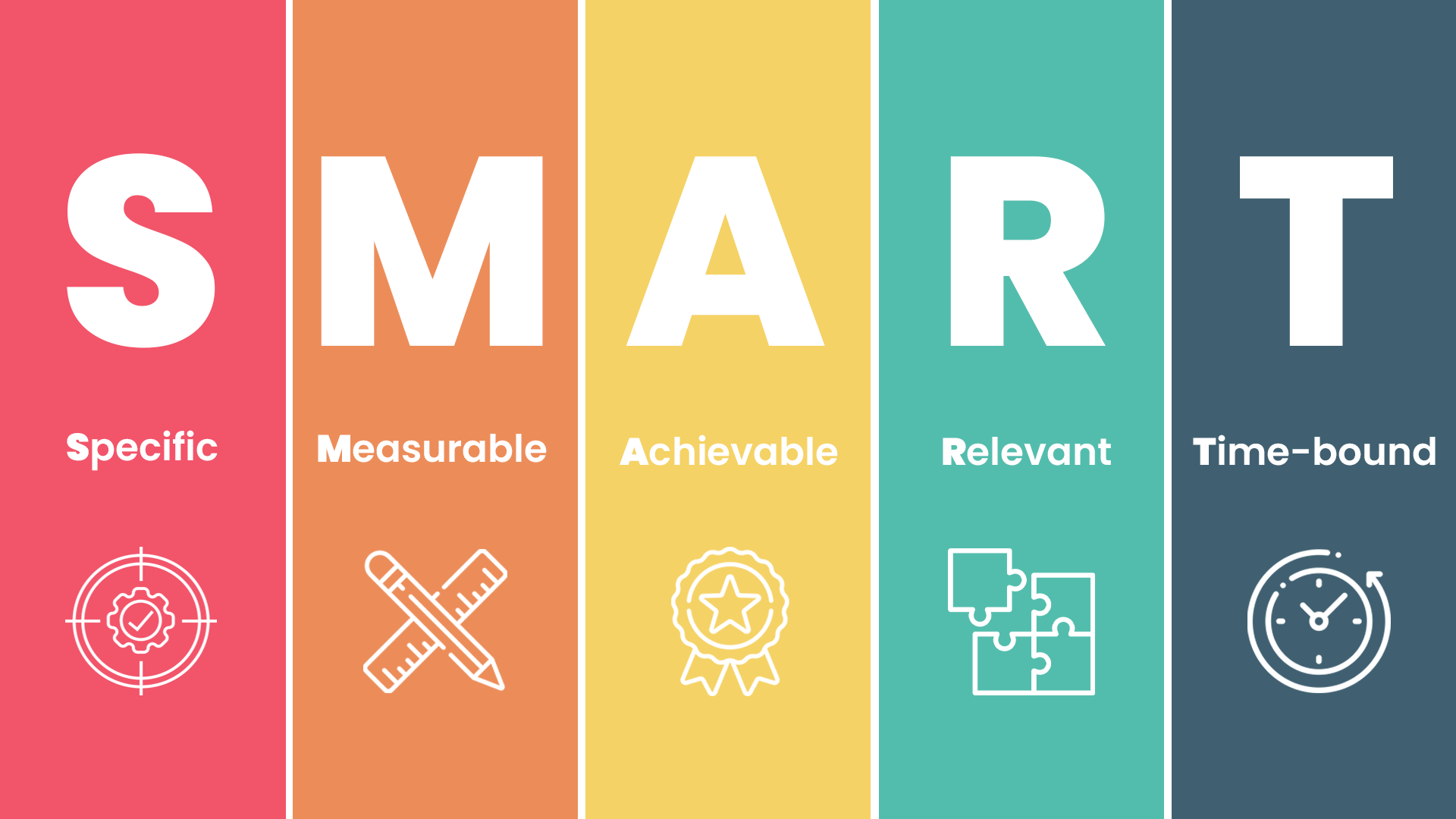
This approach provides you with a roadmap for content creation, attendee engagement, and overall strategy, ensuring a focused and purposeful event.
Step 2 - Know your audience
Understanding your target audience is pivotal in crafting an event that resonates and engages effectively.
Thorough audience research allows you to gain insights into their preferences, challenges, and expectations.
Create detailed attendee personas that encompass demographics, interests, pain points, and motivations. These personas act as guiding beacons, enabling you to mold your event's content, interaction, and marketing approach in a way that deeply connects with your attendees.
Step 3 - Craft compelling content
Compelling content forms the bedrock of an engaging virtual event experience. Developing diverse content formats, including presentations, workshops, and panel discussions, ensures you cater to various learning styles.
Address your audience's pain points and challenges, delivering solutions and valuable takeaways. Offer interactive opportunities that keep participants engaged and eager to learn more.
By crafting content that aligns with your audience's needs, you create an educational and impactful event.
Step 4 - Choose the right platform
The choice of a suitable virtual event platform significantly influences attendee experience. Research available platforms based on your event's size, engagement requirements, and desired features.
Prioritize platforms that offer seamless live streaming, interactive tools, and networking capabilities.
Ensure that your chosen platform is user-friendly for attendees and delivers smooth technical performance, setting the stage for a memorable and hassle-free event.
Step 5 - Promote effectively
Effective promotion plays a crucial role in generating interest, driving registrations, and maximizing event attendance.

Construct a comprehensive marketing plan that harnesses the power of social media, targeted email campaigns, and strategic collaborations.
Begin your promotional efforts well in advance to create a sense of anticipation. Craft compelling content that not only introduces your event but also highlights the unique value participants will gain from attending, inspiring them to register and engage.
Step 6 - Plan technical setup
A robust technical setup is the backbone of a glitch-free event execution. Dedicate ample time to testing and fine-tuning technical aspects, ensuring optimal audio and video quality.
Rigorously assess interactive features to guarantee a seamless experience for both presenters and attendees. Prepare a comprehensive technical checklist for presenters, guiding them through platform navigation and contingency plans.
Equipped with a solid setup and dedicated technical support, you ensure the event runs smoothly from start to finish.
Step 7 - Rehearse thoroughly
Thorough rehearsals are invaluable in preventing technical hiccups and ensuring presenters are comfortable with the platform. Conduct multiple run-throughs of the event schedule with speakers, addressing any potential challenges that might arise.
Simulate various scenarios, including transitions, interactions, and potential technical glitches, to ensure a polished and seamless event experience. By meticulously rehearsing, you enhance the overall professionalism and flow of your event.
Step 8 - Foster engagement
Engagement lies at the heart of a memorable virtual event experience. Design your event agenda with interactivity in mind, incorporating live polls, Q&A sessions, and networking opportunities.

Encourage presenters to initiate discussions, ask thought-provoking questions, and actively involve the audience throughout their presentations.
Use storytelling techniques to maintain audience interest and stimulate meaningful interaction. By fostering engagement, you create an immersive and dynamic event environment.
Step 9 - Offer post-event value
The value of your event should extend beyond its duration. Providing attendees with access to session recordings, presentation slides, and additional resources ensures ongoing engagement and learning.
Consider organizing post-event webinars or follow-up sessions that allow participants to delve deeper into topics, continue discussions, and sustain connections.
By offering valuable post-event resources, you solidify the impact of your event and maintain a lasting connection with attendees.
Step 10 - Collect feedback
Gathering feedback from participants, speakers, and partners is an essential step in refining your event strategy.
Implement surveys to collect insights on content quality, engagement levels, and overall event experience. Analyze the feedback to identify both strengths and areas for improvement.
By tapping into attendee perspectives, you gain valuable insights that guide your decision-making for enhancing future events.
Step 11 - Measure success
Evaluating the success of your virtual event involves measuring metrics against your established goals.
Track essential data points, such as registration rates, attendance levels, engagement statistics, and post-event survey responses.
By comparing these metrics against your initial objectives, you gain a comprehensive understanding of the event's effectiveness.
The insights you glean from this evaluation empower you to refine strategies and tactics for future endeavors.
How to Choose a Virtual Event Platform
A virtual event platform should match the experience you want to create, not simply provide video streaming.
Before choosing a platform, define your requirements around:
Event size: How many registrations and simultaneous attendees do you expect?
Event format: Do you need a single session, multiple tracks, workshops, or a multi-day conference?
Registration: Can attendees register, select ticket types, and receive automated confirmations?
Content delivery: Does the platform support live, pre-recorded, and on-demand sessions?
Engagement: Are polls, Q&A, chat, reactions, surveys, or gamification available?
Networking: Do attendees need breakout rooms, matchmaking, direct messaging, or one-to-one conversations?
Sponsors and exhibitors: Do you need virtual booths, sponsor visibility, or lead capture?
Analytics: Can you measure attendance, session participation, engagement, and other outcomes?
Accessibility: Does the experience support captions, transcripts, keyboard navigation, and different devices?
Support: What technical support is available before and during the event?
Integrations: Can the platform connect with the tools your marketing, sales, or event team already uses?
A small webinar may not need all these capabilities. A virtual conference or trade show usually requires a broader event technology stack.
The best virtual event platform is the one that supports your attendee journey without adding unnecessary complexity.
Virtual Event Technical Checklist
Before the event
Test presenter internet connections
Test microphones and cameras
Confirm screen-sharing permissions
Test videos and presentations
Check slides for correct formatting
Test polls and Q&A
Test registration and attendee access
Test recording
Confirm backup communication channel
Prepare backup presenter/host
Confirm technical support contacts
During the event
Join early
Check every speaker
Monitor audio
Monitor attendee chat
Watch session timing
Monitor stream quality
Keep backup materials available
Record sessions
Have a plan for speaker dropouts
How to Measure Virtual Event Success
Divide metrics according to objectives.
Goal | Metrics |
Attendance | Registrations, attendance rate, drop-off |
Engagement | Poll responses, Q&A participation, chat activity |
Content | Session attendance, replay views, session ratings |
Networking | Connections, meetings, conversations |
Lead generation | Leads, qualified leads, demos/bookings |
Revenue | Ticket revenue, conversion rate, revenue per attendee |
Satisfaction | Survey responses, CSAT, NPS |
Marketing | Registration source, campaign conversion |
How KonfHub Can Help You Manage a Virtual Event
Once your virtual event strategy is defined, the next challenge is managing registration, attendee communication, engagement, and event operations in one place.
KonfHub helps organizers manage key parts of the event lifecycle, including event registration and ticketing, attendee management, event communication, engagement, and check-in. For virtual and hybrid events, organizers can use features such as live polls and Q&A to give attendees more ways to participate during sessions.
The right setup depends on your event format. A simple webinar may only require registration, session access, engagement, and post-event communication, while a larger virtual conference may need multiple sessions, attendee management, networking, analytics, and sponsor or exhibitor workflows.
If you're evaluating an event management platform for your next virtual event, map your requirements against the features you actually need before choosing a solution.
In your quest for impactful virtual events, KonfHub is your ultimate ally. Schedule a call with KonfHub to elevate your virtual events today with powerful event ticketing features and audience engagement features including an event app with live polls and Q&A. Your journey to extraordinary virtual experiences starts now!
FAQs
What is a virtual event?
A virtual event is an event hosted online where attendees participate remotely through a virtual event platform. Depending on the format, it can include live sessions, presentations, Q&A, polls, networking, workshops, exhibitor booths, and on-demand content.
How do you plan a virtual event?
Start by defining the event goal and target audience, then choose the format, set a budget and timeline, select a virtual event platform, plan the agenda and content, confirm speakers, set up registration, promote the event, and conduct technical rehearsals before going live.
How do you host a virtual event?
To host a virtual event, set up your event platform and registration, prepare speakers and content, test audio and video, rehearse the event flow, and assign people to manage technical support, moderation, Q&A, and attendee communication during the event. Afterward, share recordings and resources and review event performance.
How long does it take to plan a virtual event?
The planning time depends on the event's size and complexity. A simple webinar may take 2 to 4 weeks, while a virtual conference with multiple speakers, sessions, networking, and sponsors may require 6 to 12 weeks or more.
What do you need to host a virtual event?
A virtual event typically requires an event platform, registration system, reliable internet connection, camera and microphone, presentation content, speakers or presenters, an event agenda, attendee communication, technical support, and a plan for audience engagement.
What features should a virtual event platform have?
Important features include event registration, live streaming, attendee management, live chat, polls, Q&A, networking, session management, recordings, analytics, attendee communication, and multi-device access. Larger events may also need sponsor and exhibitor management.
How can you keep attendees engaged during a virtual event?
Use interactive features such as live polls, Q&A, chat, breakout discussions, networking sessions, quizzes, and audience prompts. Keep sessions focused, involve attendees throughout the presentation, and provide opportunities to interact with speakers and other participants.
How do you promote a virtual event?
Promote your virtual event through email campaigns, social media, event communities, partnerships, speakers' networks, and your website. Clearly communicate the event's value, highlight speakers and sessions, and give attendees a simple registration process.
How do you measure the success of a virtual event?
Measure performance against your original goals. Useful metrics include registrations, attendance rate, session participation, poll and Q&A activity, networking interactions, survey responses, leads generated, ticket revenue, and attendee satisfaction.
What should be included in a virtual event checklist?
A virtual event checklist should cover goals, audience, format, budget, platform selection, speakers, agenda, registration, promotion, technical testing, rehearsals, attendee engagement, event-day support, post-event communication, feedback, and performance measurement.
What is the difference between a virtual event and a webinar?
A webinar is usually a focused online presentation or educational session, while a virtual event can include multiple sessions, networking, workshops, exhibitors, sponsors, interactive activities, and other experiences. A webinar can therefore be one type of virtual event.
Can virtual events include networking?
Yes. Virtual events can include networking through breakout rooms, one-to-one video meetings, networking lounges, attendee directories, direct messaging, group discussions, and scheduled networking sessions. The best approach depends on the event format and audience.