For organizations that host events regularly, the event app is an important part of the attendee experience. It gives participants quick access to the agenda, speakers, sponsors, networking, announcements, and everything else they need during the event.
But there is one small problem when you run multiple events.
Participants may have to access a different event link and download an app every time they attend another event.
That might not seem like a big deal for one event. But if the same organization is hosting several conferences, trade fairs, expos, or other events throughout the year, asking attendees to repeat the process each time can get inconvenient. For your loyal participants who keep coming to your events, the need to download a separate app for each event is not a good experience.
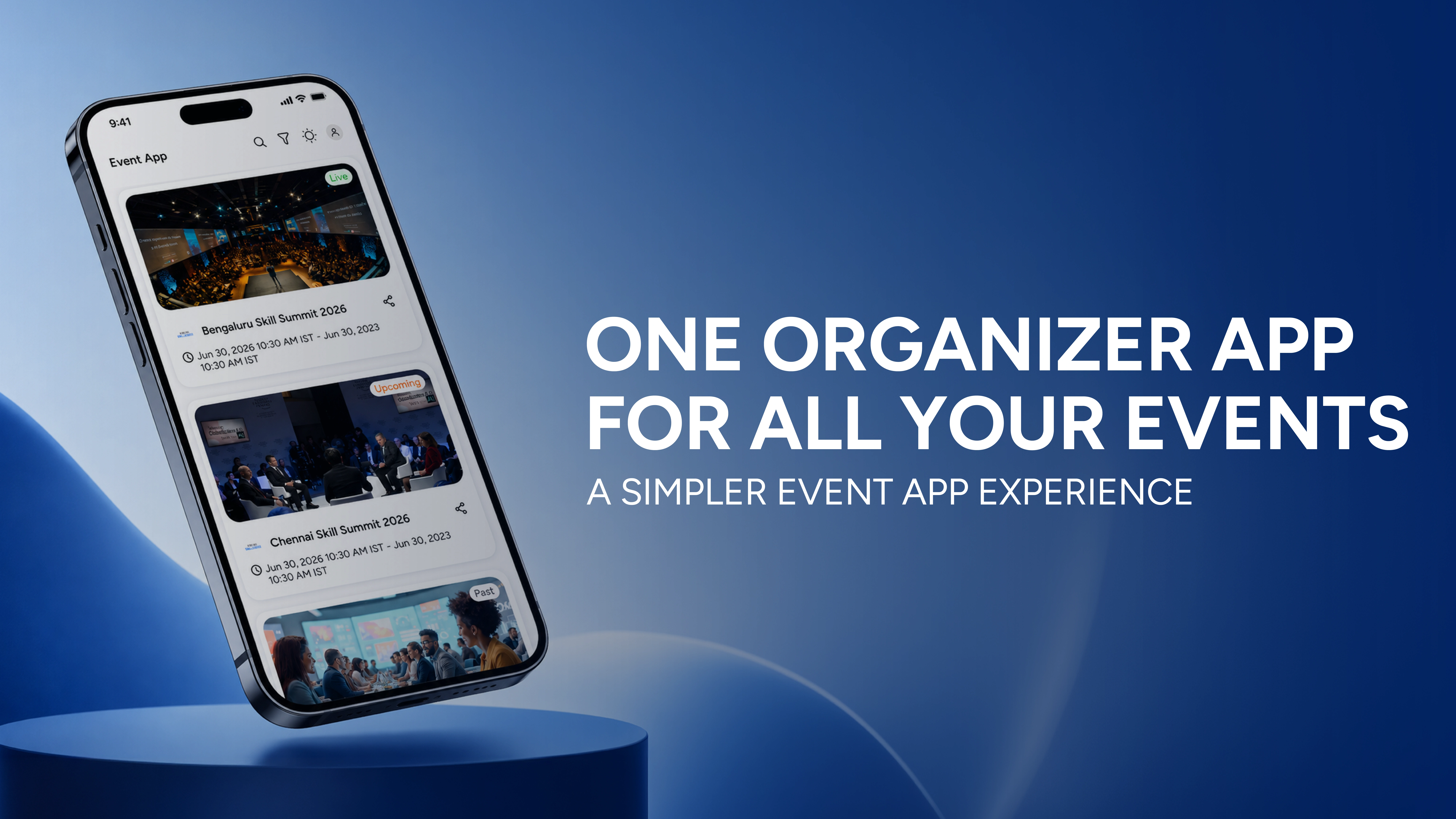
With KonfHub's new organization-level Event App management, organizers can now bring multiple event apps into a single organizer app.
Participants only need to download the app once. From there, they can access the event apps made available by the organization.
How Does It Work?
The feature is available under Manage Events → Organization and is meant for organizations that regularly use KonfHub's Event App.
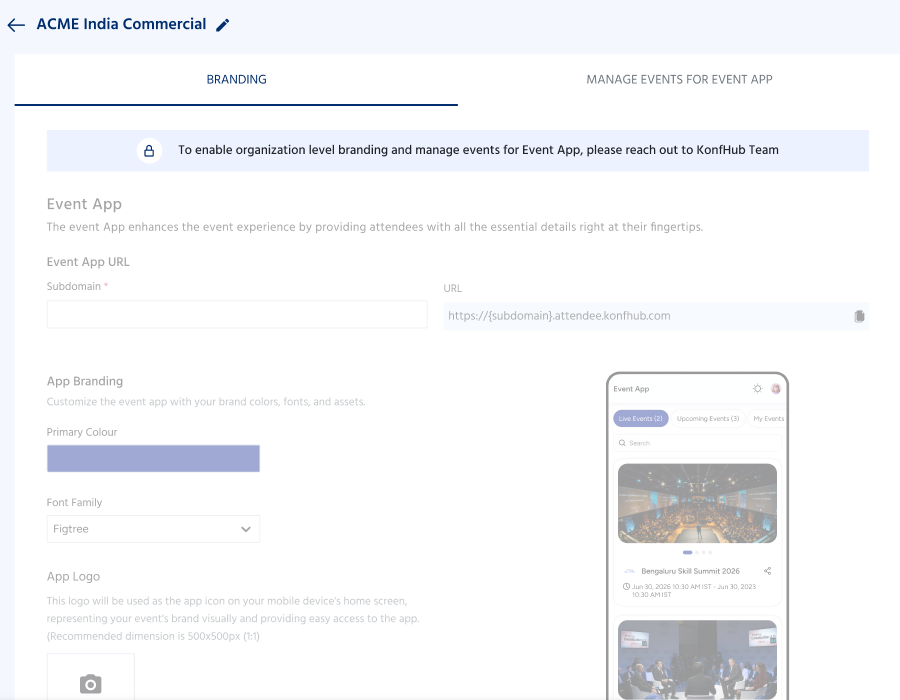
The setting needs to be enabled by the KonfHub team first. Once enabled, organizers can set up their organization's native app and decide which event apps should be available to participants.
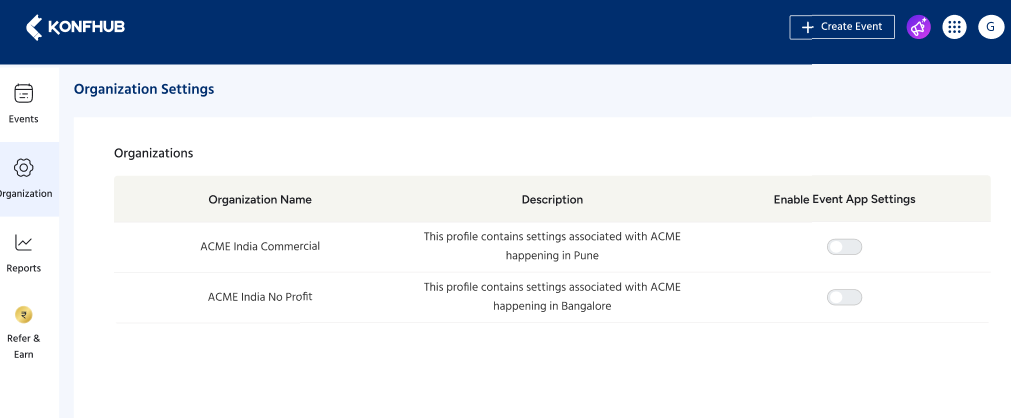
The setup mainly involves three things: branding the app, selecting the events, and making those events available to attendees.
Start With Your Own App Branding
Since this is a native app representing your organization and its events, you can give it your own look and feel.
You need to configure a custom subdomain for the app. You can add your logo and choose the font colours you want to use in the app.
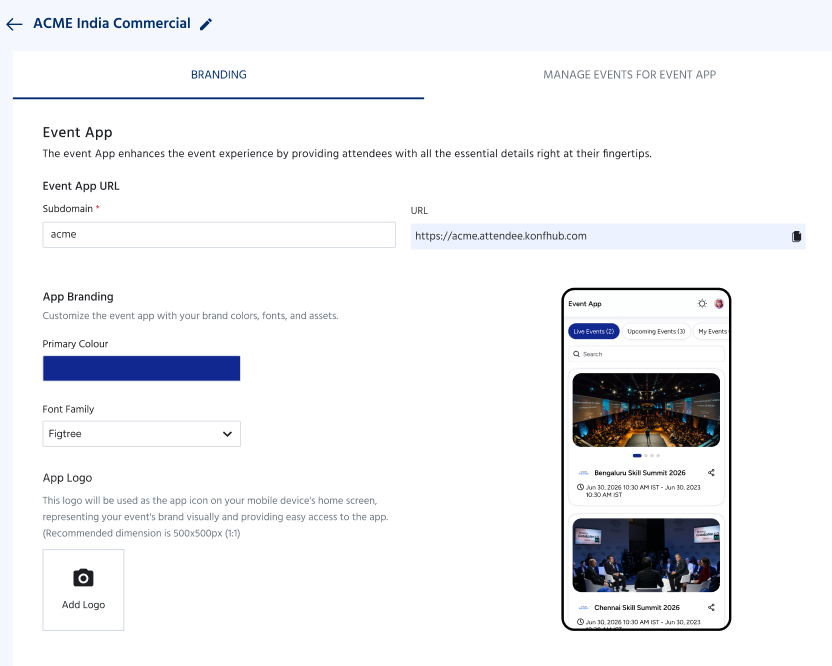
This is useful for organizations that want their event technology to be part of their own brand experience rather than having every event feel like a separate platform.
Once the app is set up, you can use it as the common app for your events.
Add the Event Apps You Want
The next step is deciding which events should appear in the app.
When the Organizer Event App is enabled for your events, they will be available under Selectable Events in the organization settings.
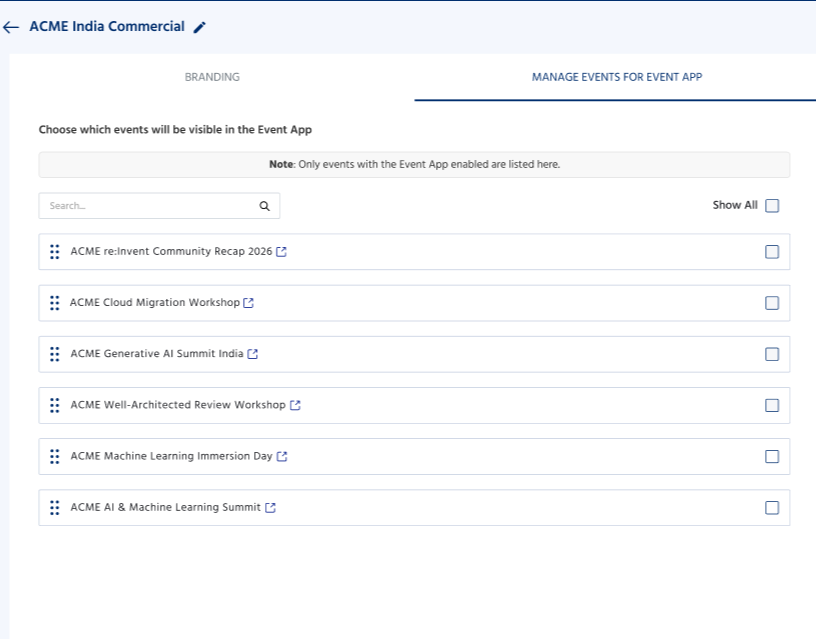
You can then select the events you want to make available through the organizer event app. This gives organizers flexibility on which events are shown in the app.
For instance, suppose you organize several events during the year but only have three upcoming events at the moment. You can choose those three event apps to be available to participants without having to put every event you've ever hosted into the app.
As your event calendar changes, you can manage the selection accordingly.
What Does the Participant See?
From the participant's point of view, the process becomes much easier.
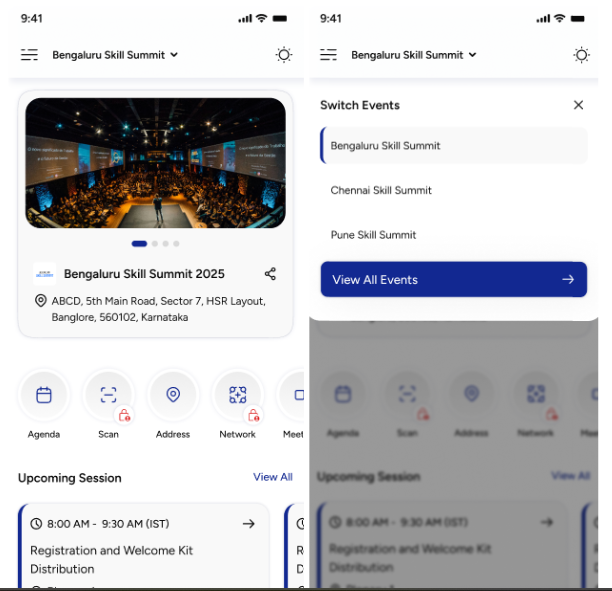
Instead of receiving an event link and downloading/accessing an app every time they register for another event from your organization, they can use the same organizer event app.
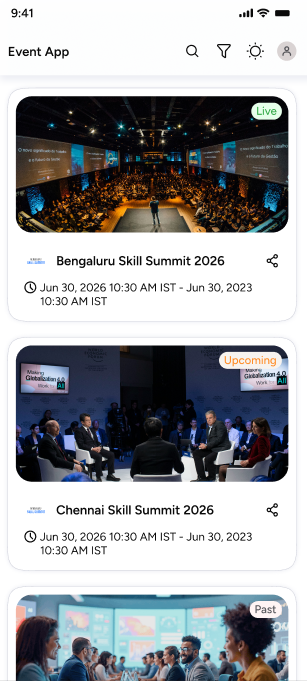
Once they open the app, they can select the event they want to access.
After selecting the event, they get the event-specific modules and information that have been configured for that event.
So, for example, your organization could have two events available:
Annual Conference: Participants can access the agenda, speakers, sponsors, networking, and other conference information.
Leadership Summit: Participants can access the content and modules configured specifically for the summit.
Both the events can be accessed through the same app now.
One App Doesn't Mean One Event Experience
Bringing multiple events into one app doesn't mean that every event has to look or work exactly the same.
Each event can still have its own content and modules.
The organizer event app simply acts as the common place from which participants access those events.
This is important because different events often have different requirements. A large conference may need networking, exhibitor information, floor plans, and sponsor sections, while a smaller meetup may only need an agenda, speakers, and announcements.
Participants see what is relevant to the event they have selected.
Summary
With organization-level Event App management, the same app can be used across multiple events. For organizers, it provides one place to manage the organization's app branding and event selection. For participants, it means they can keep one app on their phone and use it whenever they attend an event from that organization.
The organization-level Event App setting needs to be enabled by the KonfHub team.
Once enabled, go to:
Manage Events → Organization
From there, you can configure your app branding, set up your custom subdomain, and select the event apps you want to make available.
That's it.
Your participants can download the native app once and use it to access the different event apps you make available over time.
One app download. Multiple events. A more consistent experience for everyone.
Frequently Asked Questions
What is organization-level Event App management in KonfHub?
Organization-level Event App management allows organizers to manage multiple event apps through a single native app. Participants can download the app once and use it to access different event apps made available by the organization.
Do participants need to download the app for every event?
No. Participants only need to download the organization's native app once. They can then select and access the event apps that have been made available to them.
Can I add multiple events to the same native app?
Yes. Organizers can select multiple events from the Selectable Events section and make their respective event apps available through the same native app.
Can I customize the organizer event app with my organization's branding?
Yes. Once the feature is enabled, you can customize the app with your organization's logo, preferred font colours, and a custom subdomain.
Can different events have different modules?
Yes. Each event can have its own event-specific modules and content. Participants will see the modules configured for the particular event they select.
How can I enable organization-level Event App management?
The feature needs to be enabled by the KonfHub team. Once it is enabled for your organization, you can access the settings under Manage Events → Organization and configure your native app.
About the author
KonfHub is an AI-powered, GDPR-compliant platform for seamless ticketing, secure attendee management, and smooth event operations. Say goodbye to complexity and hello to seamless, powerful event management!
Comments
Join the discussionNo comments yet. Be the first to comment.